Loading
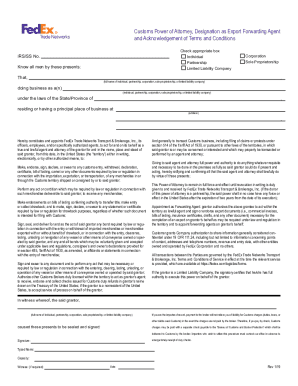
Get Fedex Power Of Attorney 2019-2026
How it works
-

Open form follow the instructions
-

Easily sign the form with your finger
-

Send filled & signed form or save
How to fill out the FedEx Power of Attorney online
This guide provides users with step-by-step instructions on completing the FedEx Power of Attorney form online. Following these clear instructions will help ensure that your form is filled out accurately and efficiently.
Follow the steps to complete the FedEx Power of Attorney online.
- Click ‘Get Form’ button to obtain the form and open it in the online editor.
- Enter your IRS or Social Security Number in the designated field to identify the grantor.
- Select the appropriate box indicating the type of entity: Individual, Corporation, Partnership, Sole Proprietorship, or Limited Liability Company.
- Provide the full legal name of the entity in the text field. Ensure that abbreviations are only used if they appear in the incorporation documents.
- Specify the registered business name doing business as (DBA) if applicable.
- Indicate the state, province, or jurisdiction where the entity is incorporated.
- Fill in the complete street address for the entity. This information is crucial for legal identification.
- The authorized person must sign the form. If this person is not an officer of the entity, ensure to complete the corporate certification.
- Enter the name of the individual who signed the Power of Attorney and the capacity in which they signed.
- The date of signing should be recorded accurately in the provided section.
- Review all entered information for accuracy and completeness before finalizing.
- Upon completion, save your changes. You may also download, print, or share the Power of Attorney form as needed.
Complete your documentation online for efficiency and accuracy.
Related links form
OK Child Study Center & Center On Child Abuse & Neglect OU Developmental Behavioral Pediatrics 2015
University Of Tampa Four Year Bachelor Of Science In Nursing Program Evaluation Form 2008
OK Woodward Chamber Of Commerce Bud Nelson Memorial Scholarship Application 2010
UT Oprahs Debt Diet Listening Guide To Show 1 2017
A 'Power of Attorney' (POA) – also known as a 'Letter of Empowerment' – refers to the authorisation required to be given to the customs broker on behalf of the importer or exporter.