Loading
Get Metroplains Management Furnace Maintenance Log 2010-2026
How it works
-

Open form follow the instructions
-

Easily sign the form with your finger
-

Send filled & signed form or save
How to fill out the Metroplains Management Furnace Maintenance Log online
Filling out the Metroplains Management Furnace Maintenance Log online is essential for maintaining the efficiency and safety of your furnace. This guide will walk you through the steps to accurately complete the log and ensure proper documentation of your maintenance activities.
Follow the steps to accurately complete the furnace maintenance log
- Click ‘Get Form’ button to access the furnace maintenance log and open it in the editor.
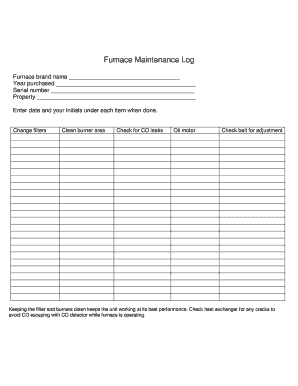
- Begin by entering the furnace brand name in the designated field. This helps identify the specific type of furnace you are documenting.
- Next, fill in the year the furnace was purchased. This information aids in tracking the age and warranty status of the unit.
- Locate and input the serial number of the furnace. The serial number is essential for warranty claims and service histories.
- In the section labeled 'Property', provide the address or identification of the location where the furnace is installed. This ensures that the log is associated with the correct property.
- As you complete each maintenance task mentioned in the log, note the date and your initials beside each item. The tasks include changing filters, cleaning the burner area, checking for CO leaks, oiling the motor, and checking the belt for adjustments.
- Finally, review the completed log for accuracy. Once you are satisfied with your entries, you can save the changes, download a copy for your records, print the document, or share it as necessary.
Start completing your Metroplains Management Furnace Maintenance Log online today to keep your furnace operating safely and efficiently.