Loading
Get Canada George & Sabbadin Medical Expenses Worksheet 2016-2026
How it works
-

Open form follow the instructions
-

Easily sign the form with your finger
-

Send filled & signed form or save
How to fill out the Canada George & Sabbadin Medical Expenses Worksheet online
Filling out the Canada George & Sabbadin Medical Expenses Worksheet online can simplify the process of documenting your medical expenses. This guide provides clear, step-by-step instructions to help you complete the form accurately and efficiently.
Follow the steps to fill out the Canada George & Sabbadin Medical Expenses Worksheet online
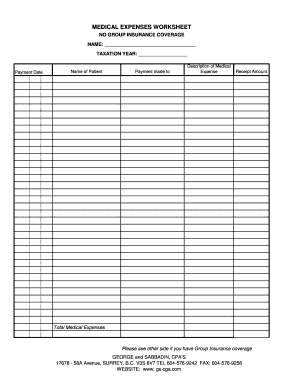
- Press the ‘Get Form’ button to access the worksheet and open it in the editing interface.
- Enter your name in the designated field at the top of the form, ensuring it is spelled correctly.
- Specify the taxation year for which you are reporting medical expenses in the corresponding box.
- In the 'Payment Date' field, input the date when the medical expense was paid.
- Record the name of the patient who received the medical services or treatment.
- Indicate the party to whom the payment was made in the 'Payment made to' section.
- Provide a brief description of the medical expense incurred in the 'Description of Medical Expense' section.
- Enter the total amount as shown on the receipt in the 'Receipt Amount' field.
- Sum all individual medical expenses and enter the total in the 'Total Medical Expenses' box.
- Review all entries for accuracy and completeness, then save your changes, download, print, or share the form as needed.
Take the next step and complete your Canada George & Sabbadin Medical Expenses Worksheet online today!
Asda and George were sold to Walmart in 1999, which led to the expansion of the George brand into Walmart stores. In February 2022, Asda and George were bought by TDR Capital for £6.8 billion pounds.