Loading
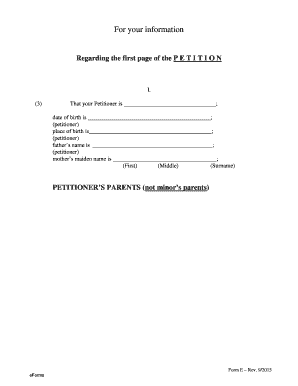
Get Hi Form E - Regarding The First Page Of The Petition 2015-2026
How it works
-

Open form follow the instructions
-

Easily sign the form with your finger
-

Send filled & signed form or save
How to fill out the HI Form E - Regarding The First Page Of The Petition online
Filling out the HI Form E is a crucial step in submitting your petition accurately and efficiently. This guide will provide you with clear, step-by-step instructions to help you complete the first page of the petition online.
Follow the steps to fill out the HI Form E effectively.
- Click the ‘Get Form’ button to obtain the form and open it in the document editor.
- Begin by entering the petitioner's name. Include the first name, middle name (if applicable), and surname as indicated on the form.
- Provide the date of birth of the petitioner. Ensure accuracy in the format specified in the form.
- Fill in the place of birth for the petitioner. This should be the city and state of birth.
- List the father's name as required. Use the first name, middle name (if applicable), and surname.
- Enter the mother's maiden name, following the same format as the father's name.
- Review all entered information for accuracy and completeness.
- Once completed, save your changes. You may also download, print, or share the form as needed.
Start filling out the HI Form E online today for a seamless petition process.
Related links form
Both during and after a divorce, disputes can arise when one custodial parent wishes to relocate to another island, out-of-state, or to another country. The relocating parent must get permission from the non-moving parent or the Family Court in order to do so.