Loading
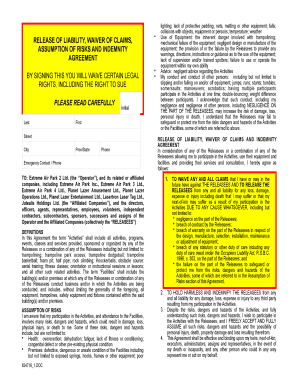
Get Waiver - Extreme Air Park Langley
How it works
-

Open form follow the instructions
-

Easily sign the form with your finger
-

Send filled & signed form or save
How to fill out the Waiver - Extreme Air Park Langley online
Filling out the Waiver for Extreme Air Park Langley online is an essential step for participation in their activities. This guide will help you navigate through each section of the waiver form, ensuring that you provide all necessary information accurately.
Follow the steps to complete the waiver form online smoothly.
- Click ‘Get Form’ button to obtain the waiver and open it in your document editor.
- Enter your last name, initial, and first name in the designated fields. This information identifies you as the participant.
- Fill in your street address, city, province or state, and phone number. Ensure that all information is accurate for contact purposes.
- Provide the contact information of an emergency contact, including their name and phone number to be reached in case of an emergency.
- Review the list of risks associated with the activities. Acknowledge your understanding of these risks and indicate your acceptance by checking the appropriate box or providing initials.
- In the section regarding the release of liability, clearly read the statements and confirm your understanding of the waiver. You may need to indicate your agreement by signing and dating the document.
- If applicable, fill in the names and birth dates for any minors you are signing for. Make sure to provide the relationship to each minor participant.
- Once all sections are complete, review the entire document for accuracy. Ensure that all required fields are filled out.
- After final review, save your changes. You can then download, print, or share the completed waiver as directed.
Complete your waiver online today and get ready for your adventure at Extreme Air Park Langley!