Loading
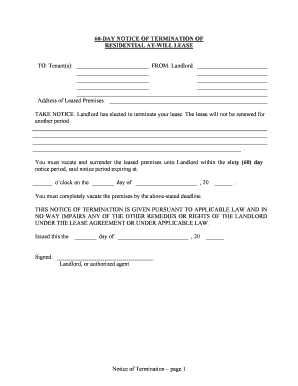
Get Ga 60 Day Notice To Vacate
How it works
-

Open form follow the instructions
-

Easily sign the form with your finger
-

Send filled & signed form or save
How to fill out the Ga 60 Day Notice To Vacate online
Completing the Ga 60 Day Notice To Vacate is an essential step for landlords and tenants when ending a lease agreement. This guide offers comprehensive instructions on filling out the form online, ensuring a smooth and straightforward process for all users.
Follow the steps to fill out the Ga 60 Day Notice To Vacate.
- Click ‘Get Form’ button to obtain the Ga 60 Day Notice To Vacate and open it in your preferred browser.
- Enter the date on which the notice is issued. This is important as it marks the beginning of the 60-day notice period.
- Fill in the address of the leased premises where the tenant currently resides. Ensure the address is accurate to avoid any complications.
- Indicate the deadline by which the tenant must vacate the premises, noting the 60-day notice period expiration. Specify the exact date and time.
- Include the name and signature of the landlord or their authorized agent. This certifies the validity of the notice.
- If applicable, complete the proof of delivery section. Indicate how the notice will be delivered to the tenant, such as by hand or by registered/certified mail.
- After filling out the form, review all entries for accuracy. Make any necessary corrections to ensure clarity and completeness.
- Once all information is verified, you can save your changes, download the document for your records, print it for delivery, or share it as needed.
Start completing your Ga 60 Day Notice To Vacate online today.
If you are a month-to-month tenant and you get a 20- or 60-Day Notice to Terminate, your landlord wants you to move out by the end of the notice period. If you do not, the landlord may file an eviction lawsuit because you stayed too long. You can try to negotiate for more time, but they do not have to agree.