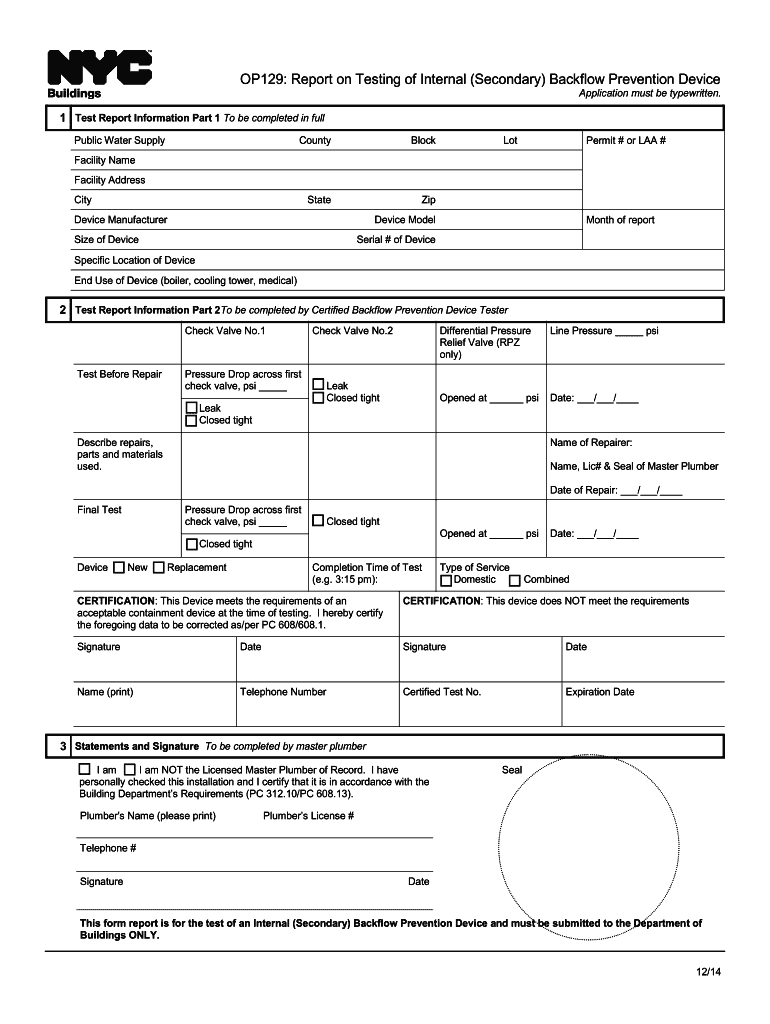
OP129: Report on Testing of Internal (Secondary) Backflow Prevention Device Application must be typewritten.1 Test Report Information Part 1 To be completed in full Public Water SupplyCountyBlockStateZipLotPermit.
Loading

Open form follow the instructions

Easily sign the form with your finger

Send filled & signed form or save
How to fill out the NY OP129 online
Filling out the NY OP129 form is crucial for reporting the testing of internal backflow prevention devices. This guide provides step-by-step instructions to help you navigate the online completion of the form accurately and efficiently.
Follow the steps to complete the NY OP129 form online
- Click ‘Get Form’ button to obtain the form and access it online.
- Begin with Test Report Information Part 1. Fill in the details including Public Water Supply, County, Block, State, Zip, Lot, Permit # or LAA #, Facility Name, Facility Address, City, Device Manufacturer, Device Model, Size of Device, Month of report, Serial # of Device, Specific Location of Device, and End Use of Device.
- Proceed to Test Report Information Part 2. This section must be completed by a Certified Backflow Prevention Device Tester. Record the data for Check Valve No.1 and Check Valve No.2, including tests before repair, pressure drop, and leak status. Document the differential pressure for RPZ devices as needed.
- Describe any repairs made, listing parts and materials used, and provide the details of the repairer, including their name, license number, and seal. Input the date of repair.
- Finalize the test section by reporting the pressure drop across the first check valve and documenting its status at various pressures. Indicate if the device is new or a replacement and complete the time of the test.
- Complete the certification portion. Select whether the device meets the requirements and provide signatures, dates, printed names, telephone numbers, certified test number, and expiration date.
- Finally, the last section must be filled out by the master plumber, indicating their role, confirming the installation, and providing the plumber's name, seal, license number, telephone number, and signature.
- After completing all sections, ensure that you save your changes, and opt to download, print, or share the completed form as necessary.
Start filling out your documents online today!
Experience a faster way to fill out and sign forms on the web. Access the most extensive library of templates available.
Related content
Form for Report on Test and Maintenance of Containment Backflow Prevention ... Check...
Ithaca, NY 14850 ... testing and maintenance of all internal backflow prevention devices...
Jun 1, 1999 — MPE Pilot Test Operating Conditions and Results. 4-28. 4-8 ... this form...
Use professional pre-built templates to fill in and sign documents online faster. Get access to thousands of forms.
If you believe that this page should be taken down, please follow our DMCA take down process here.