Loading
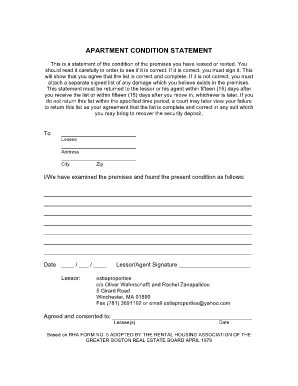
Get Greater Boston Real Estate Board Apartment Condition Statement
How it works
-

Open form follow the instructions
-

Easily sign the form with your finger
-

Send filled & signed form or save
How to fill out the Greater Boston Real Estate Board Apartment Condition Statement online
The Greater Boston Real Estate Board Apartment Condition Statement is an essential document for tenants to evaluate the condition of their rented premises. This guide will walk you through the process of completing this form online, ensuring your rights and agreements are properly documented.
Follow the steps to complete the Apartment Condition Statement online.
- Click the ‘Get Form’ button to access the Greater Boston Real Estate Board Apartment Condition Statement and open it in your preferred online editor.
- Begin by filling in the lessee details. This includes entering your name, address, city, and zip code in the designated fields to identify yourself accurately.
- Carefully examine the premises and document your findings in the provided section. Describe the current condition of the apartment as thoroughly as possible, noting any damages or issues.
- Ensure clarity by being detailed in your description. If there are damages that are not included in the form, prepare a separate signed list to detail these issues.
- Once you are satisfied with your entries, review the completed form to ensure all information is accurate and comprehensive.
- Finally, save your changes, and utilize the options to download, print, or share the Apartment Condition Statement as needed, ensuring that you return it to your lessor or their agent within the specified 15-day timeframe.
Start completing your Apartment Condition Statement online today for a secure and smooth rental experience.
The Office of Housing Stability helps property owners and tenants with housing issues. If you have questions, call 617-635-4200 or email rentalhousing@boston.gov. We can help with any of the common issues below and more.