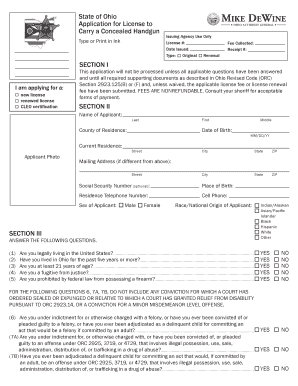
Get Concealed Carry License And Renewal Application - Ohio Attorney
How it works
-

Open form follow the instructions
-

Easily sign the form with your finger
-

Send filled & signed form or save
How to fill out and sign Concealed Carry License And Renewal Application - Ohio Attorney online?
Get your online template and fill it in using progressive features. Enjoy smart fillable fields and interactivity.Follow the simple instructions below:Business, tax, legal along with other electronic documents require an advanced level of compliance with the legislation and protection. Our documents are regularly updated in accordance with the latest legislative changes. Additionally, with us, all the details you provide in the Concealed Carry License And Renewal Application - Ohio Attorney is well-protected from leakage or damage through industry-leading file encryption.
The following tips will allow you to complete Concealed Carry License And Renewal Application - Ohio Attorney quickly and easily:
- Open the document in the feature-rich online editing tool by clicking on Get form.
- Complete the necessary fields that are yellow-colored.
- Hit the green arrow with the inscription Next to jump from field to field.
- Use the e-signature solution to add an electronic signature to the form.
- Insert the relevant date.
- Check the entire document to be sure that you have not skipped anything.
- Press Done and download the new form.
Our solution allows you to take the whole procedure of executing legal documents online. For that reason, you save hours (if not days or even weeks) and get rid of extra payments. From now on, fill in Concealed Carry License And Renewal Application - Ohio Attorney from home, place of work, as well as while on the move.
Tips on how to fill out, edit and sign Concealed Carry License And Renewal Application - Ohio Attorney online
How to fill out and sign Concealed Carry License And Renewal Application - Ohio Attorney online?
Get your online template and fill it in using progressive features. Enjoy smart fillable fields and interactivity.Follow the simple instructions below:
Business, tax, legal along with other electronic documents require an advanced level of compliance with the legislation and protection. Our documents are regularly updated in accordance with the latest legislative changes. Additionally, with us, all the details you provide in the Concealed Carry License And Renewal Application - Ohio Attorney is well-protected from leakage or damage through industry-leading file encryption.
The following tips will allow you to complete Concealed Carry License And Renewal Application - Ohio Attorney quickly and easily:
- Open the document in the feature-rich online editing tool by clicking on Get form.
- Complete the necessary fields that are yellow-colored.
- Hit the green arrow with the inscription Next to jump from field to field.
- Use the e-signature solution to add an electronic signature to the form.
- Insert the relevant date.
- Check the entire document to be sure that you have not skipped anything.
- Press Done and download the new form.
Our solution allows you to take the whole procedure of executing legal documents online. For that reason, you save hours (if not days or even weeks) and get rid of extra payments. From now on, fill in Concealed Carry License And Renewal Application - Ohio Attorney from home, place of work, as well as while on the move.
How to edit Concealed Carry License And Renewal Application - Ohio Attorney: customize forms online
Fill out and sign your Concealed Carry License And Renewal Application - Ohio Attorney quickly and error-free. Find and edit, and sign customizable form templates in a comfort of a single tab.
Your document workflow can be a lot more efficient if everything required for modifying and handling the flow is arranged in one place. If you are searching for a Concealed Carry License And Renewal Application - Ohio Attorney form sample, this is a place to get it and fill it out without searching for third-party solutions. With this intelligent search engine and editing tool, you won’t need to look any further.
Simply type the name of the Concealed Carry License And Renewal Application - Ohio Attorney or any other form and find the right template. If the sample seems relevant, you can start modifying it right on the spot by clicking Get form. No need to print or even download it. Hover and click on the interactive fillable fields to place your details and sign the form in a single editor.
Use more modifying tools to customize your template:
- Check interactive checkboxes in forms by clicking on them. Check other areas of the Concealed Carry License And Renewal Application - Ohio Attorney form text by using the Cross, Check, and Circle tools
- If you need to insert more text into the document, use the Text tool or add fillable fields with the respective button. You can even specify the content of each fillable field.
- Add pictures to forms with the Image button. Add pictures from your device or capture them with your computer camera.
- Add custom graphic elements to the document. Use Draw, Line, and Arrow tools to draw on the document.
- Draw over the text in the document if you wish to hide it or stress it. Cover text fragments using theErase and Highlight, or Blackout instrument.
- Add custom elements such as Initials or Date using the respective tools. They will be generated automatically.
- Save the form on your device or convert its format to the one you need.
When equipped with a smart forms catalog and a powerful document modifying solution, working with documentation is easier. Find the form you need, fill it out right away, and sign it on the spot without downloading it. Get your paperwork routine simplified with a solution designed for modifying forms.
Related links form
Can I take the class online? Ohio law now allows that a portion of the class may be completed online but a minimum of two hours of range time must be done in person with an instructor.