Loading
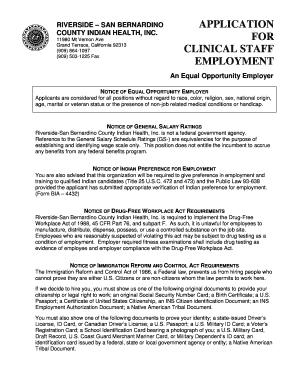
Get Ca Rsbcihi Application For Clinical Staff Employment
How it works
-

Open form follow the instructions
-

Easily sign the form with your finger
-

Send filled & signed form or save
How to fill out the CA RSBCIHI Application For Clinical Staff Employment online
This guide provides clear and supportive instructions for filling out the CA RSBCIHI Application For Clinical Staff Employment online. By following these steps, users of all backgrounds can navigate the application process with ease.
Follow the steps to complete the application form effectively.
- Click ‘Get Form’ button to access the application form and open it for online completion.
- Begin by filling out your personal information. This includes your full name, social security number, date of birth, and contact details such as phone number and email address.
- Indicate the positions you are applying for and answer queries regarding your work authorization, previous applications, and employment history with the organization.
- Complete the education and training section, providing details on your high school, college, and any professional education you have received, along with dates attended and degrees obtained.
- In the employment experience section, list your past jobs in chronological order, highlighting your responsibilities and reasons for leaving each position.
- Fill out the sections on certifications, licenses, and memberships in professional societies, making sure to include any relevant expiration dates.
- Provide references and ensure to detail any special skills and qualifications that set you apart as a candidate.
- Review the application thoroughly for accuracy. Ensure all required fields are completed and double-check for any potential errors.
- Once satisfied with your application, you can save changes, download, print, or share the completed form as needed.
Complete your application online today to take the next step in your clinical career.