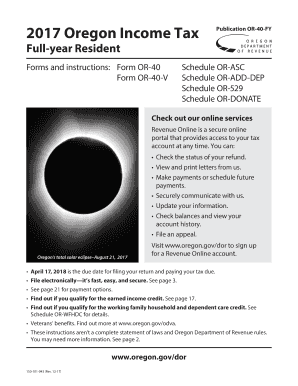
2017 Oregon Income TaxPublication OR40FYFullyear ResidentForms and instructions:FormOR40FormOR40VSchedule ORASC Schedule ORADDDEP Schedule OR529 Schedule ORDONATECheck out our online services Revenue.
Open form follow the instructions
Easily sign the form with your finger
Send filled & signed form or save
How to use or fill out the OR 150-101-043 online
Filling out the OR 150-101-043 form online is an essential step for Oregon residents to report their income tax. This guide offers clear, step-by-step instructions to help you navigate the form efficiently and accurately.
Follow the steps to successfully complete the OR 150-101-043 online.
- Press the ‘Get Form’ button to acquire the OR 150-101-043 form and launch it in the document editor.
- Carefully read the general information section to understand whether you need to file based on your income status and residency.
- Complete your name, address, and social security number (SSN) in the designated fields on the form. Ensure all information is accurate for proper identification.
- Indicate your filing status by checking the appropriate box based on your marital situation, such as 'Single,' 'Married Filing Jointly,' or 'Head of Household.'
- List the number of exemptions you are claiming, including yourself and any dependents. Be sure to provide the SSN for each dependent.
- Enter your federal adjusted gross income (AGI) as reported on your federal tax return.
- Fill in any additions or subtractions using the provided sections and corresponding codes as necessary to reflect your taxable income accurately.
- Complete the deductions section by entering either your itemized deductions or standard deduction amount.
- Calculate your Oregon taxable income by subtracting any deductions from your income after additions and subtractions.
- Use the Oregon tax tables to determine your tax liability based on your taxable income, and enter this amount in the applicable section.
- Fill out any credits you are eligible for, such as the exemption credit or political contribution credit, according to the instructions provided.
- If you have overpaid your tax, calculate your refund amount; otherwise, determine the total tax due.
- Review your completed form for accuracy and sign where indicated, ensuring that you and your spouse sign if filing jointly.
- Once completed, save your changes, and there will be options to download, print, or share the form as necessary.
Start filing your documents online for a seamless experience.
Experience a faster way to fill out and sign forms on the web. Access the most extensive library of templates available.
Related content
Mar 11, 2009 — ... 150-101-043-11x17.pdf 3/11/2009 12:13 PM 216914...
Get answers to your most pressing questions about US Legal Forms API.
What is code 150 on your tax transcript?
Code 150 on your tax transcript indicates that your tax return has been filed and processed. This code is an important part of understanding your tax status and ensures everything is in order with the IRS. By monitoring your tax transcript, you can stay informed and address any issues that may arise regarding your information.
How do I get my 5 digit PIN from the IRS?
To get your 5 digit PIN from the IRS, you can access your tax account online at the IRS website. Alternatively, if you prefer offline methods, you can call their customer service for assistance in retrieving your PIN. Having your PIN ready simplifies your tax return preparations and ensures compliance with tax regulations.
Where can I find my 5 digit self select PIN for taxes?
You can find your 5 digit self select PIN for taxes on your previous year’s federal tax return; it is a crucial part of your identification process. If you do not have that document or cannot recall the PIN, the IRS allows you to retrieve it through their online services. Keeping this PIN secure is important as it protects your personal tax information.
How to get an EIN confirmation letter online?
To obtain your EIN confirmation letter online, visit the IRS website and use their online tools available for EIN holders. If you require a copy of the letter and cannot access it online, you can request it via mail by contacting the IRS. Having your EIN confirmation letter handy is essential for tax filing and establishing your business identity.
How do I find my 5 digit PIN for TurboTax?
If you need to find your 5 digit PIN for TurboTax, it is often included in the previous year’s tax return filed through the software. Additionally, you can log into your TurboTax account and check your profile for stored information. This information is vital for ensuring a smooth filing process, especially when using specific software integrations like TurboTax.
How to apply for a tax identification number?
To apply for a tax identification number, you can visit the IRS website where they provide an online application form. Alternatively, you can fill out Form SS-4 and submit it by mail or fax. Having a tax identification number is essential for tax purposes, particularly if you are starting a new business or need to file taxes under your name.
How do I retrieve my PIN number for my taxes?
Retrieving your tax PIN number can be done by reviewing your last year’s tax return, where it is often listed. If you don’t have access to that document, the IRS provides options to recover your PIN through their online services. This process can save you time, especially when you need to file your taxes promptly.
How do I find my 5 digit PIN for taxes?
To find your 5 digit PIN for taxes, start by checking your previous tax return documents. If you're unable to find it there, you can also retrieve it through the IRS website or contact their office directly for assistance. Keeping track of previous returns will help you avoid the hassle of searching for your PIN in the future, ensuring you meet your tax obligations efficiently.
How do I file a final tax return for a deceased parent?
Filing a final tax return for a deceased parent involves completing IRS Form 1040. You'll mark the return as 'deceased' and include the date of death in the upper corner. It is also essential to ensure that any outstanding tax liabilities are settled, and refunds, if applicable, are claimed promptly. For assistance with this sensitive process where OR 150-101-043 is pertinent, consider seeking help from UsLegalForms for necessary templates and instructions.
Where to mail a NC state tax return?
To mail your NC state tax return, send it to the address designated for your situation, whether you're expecting a refund or need to make a payment. Typically, the mailing address is found on the North Carolina Department of Revenue website and on the tax forms themselves. Confirming this address is crucial to ensure timely processing. For more detailed guidance, check the resources available at UsLegalForms that discuss topics like OR 150-101-043.
Use professional pre-built templates to fill in and sign documents online faster. Get access to thousands of forms.
If you believe that this page should be taken down, please follow our DMCA take down process here.
This form is available in several versions. Select the version you need from the drop-down list below.