Loading
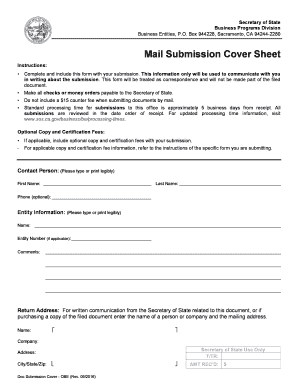
Get Ca Llc-5 2017
How it works
-

Open form follow the instructions
-

Easily sign the form with your finger
-

Send filled & signed form or save
How to fill out the CA LLC-5 online
This guide provides clear, step-by-step instructions on how to fill out the Application to Register a Foreign Limited Liability Company (Form LLC-5) online. The process is straightforward and aims to assist users of all experience levels.
Follow the steps to complete the CA LLC-5 form effectively.
- Click the ‘Get Form’ button to access the LLC-5 form and open it in an editable format.
- In Item 1a, enter the exact name of the LLC as it appears on the attached Certificate of Good Standing. Ensure this name precisely matches to avoid any discrepancies.
- In Item 1b, if the LLC name does not comply with California laws, provide an alternate name for use in California that fulfills state requirements.
- In Item 2a, input the date your LLC was formed in the format MM/DD/YYYY, ensuring it aligns with the date on the Certificate of Good Standing.
- In Item 2b, specify the state, foreign country, or other place of origin where the LLC was formed, matching it with the Certificate of Good Standing.
- Complete Item 3a by entering the street address, city, state, and zip code of the LLC's Principal Executive Office, ensuring no abbreviations or P.O. Box numbers are used.
- If applicable, provide the California principal office address in Item 3b. If the mailing address is different, fill out Item 3c accordingly.
- In Item 4, designate an Agent for Service of Process by completing either 4a and 4b for an individual or 4c for a registered corporate agent. Be clear about which agent you are providing.
- Sign and print your name in Item 5, confirming you have the authority to submit the form on behalf of the LLC. Note that titles are not required.
- After completing the form, review it for accuracy, and save your changes. You can then download, print, or share the form as needed.
Start completing the CA LLC-5 online to register your foreign limited liability company in California today.
Get form
Experience a faster way to fill out and sign forms on the web. Access the most extensive library of templates available.
Related links form
Look for Form 3522 and click the download link. All LLCs in California must file Form 3522 and pay the $800 Annual Franchise Tax every year, regardless of revenue or activity. Said another way, there's no way to avoid this fee. The first $800 payment is due the 15th day of the 4th month after your LLC is approved.
Get This Form Now!
Use professional pre-built templates to fill in and sign documents online faster. Get access to thousands of forms.