Loading
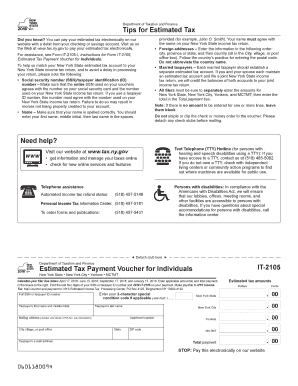
Get Ny It-2105 2018
How it works
-

Open form follow the instructions
-

Easily sign the form with your finger
-

Send filled & signed form or save
How to fill out the NY IT-2105 online
The NY IT-2105 is an important form used for making estimated tax payments in New York State. Properly completing this online form ensures that your estimated tax payments are accurately recorded and credited to your account.
Follow the steps to complete the NY IT-2105 online.
- Click ‘Get Form’ button to access the NY IT-2105 form and open it for editing.
- Enter your full social security number (SSN) or taxpayer identification number (ID). Ensure this number matches what is on your social security card and is consistent with your New York State tax return to avoid processing delays.
- Carefully type your name in the provided fields, entering your first name, middle initial, and last name. Confirm that the spelling matches your New York State tax return.
- If applicable, fill in your mailing address. For foreign addresses, list the city first, followed by the province or state, and then the country, ensuring not to abbreviate the country name.
- If you are filing jointly with a partner, ensure that each person maintains a separate estimated tax account for accurate tracking.
- Complete the estimated tax amounts for New York State, New York City, Yonkers, and MCTMT in the respective fields. If any amount is zero, leave the corresponding field blank.
- Calculate the total payment and enter it in the 'Total payment' box provided.
- Review all entered information for accuracy, then proceed to save the changes, download the document, or print it for submission.
- Finally, if applicable, pay your estimated tax electronically by following the instructions provided for that process.
Complete your estimated tax documents online to ensure timely processing and avoid any penalties.
Get form
Experience a faster way to fill out and sign forms on the web. Access the most extensive library of templates available.
For a check for estimated taxes, write 'New York State Tax Department' in the payee section. Include your taxpayer ID number in the memo line to ensure your payment is correctly applied. Make sure the amount on the check corresponds to your estimated tax due, and include any related forms like the NY IT-2105 with your payment.
Get This Form Now!
Use professional pre-built templates to fill in and sign documents online faster. Get access to thousands of forms.