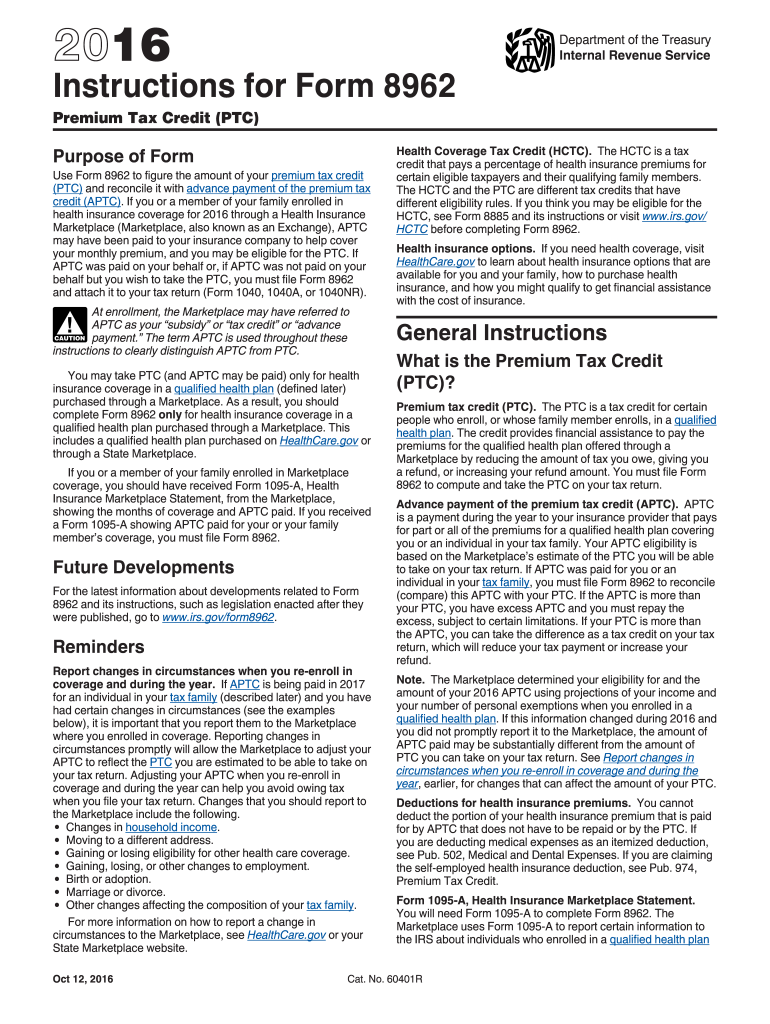
Fund, or increasing your refund amount. You must file Form 8962 to compute and take the PTC on your tax return. Advance payment of the premium tax credit (APTC). APTC is a payment during the year to your insurance provider that pays for part or all of the premiums for a qualified health plan covering you or an individual in your tax family. Your APTC eligibility is based on the Marketplace s estimate of the PTC you will be able to take on your tax return. If APTC was paid for you or an individ.

Open form follow the instructions

Easily sign the form with your finger

Send filled & signed form or save
How to fill out the IRS Instructions 8962 online
Filling out the IRS Instructions 8962 is essential for those who want to determine their eligibility for the Premium Tax Credit (PTC) and reconcile it with any Advance Payment of Premium Tax Credit (APTC) received. This guide aims to simplify the process by providing clear, step-by-step instructions for completing the form online.
Follow the steps to accurately complete the IRS Instructions 8962 online.
- Click ‘Get Form’ button to obtain the form and open it in your chosen editor.
- Enter your personal information as it appears on your tax return in the designated fields of Form 8962, including your name and Social Security number.
- Refer to Form 1095-A to obtain information about your health coverage. Input details such as enrollment premiums and applicable SLCSP premiums into the corresponding sections on Form 8962.
- Calculate your modified Adjusted Gross Income (AGI) and enter it in the appropriate section to determine your household income.
- Follow the guidance provided in the form to calculate the monthly contribution amount based on your household income in relation to the Federal poverty line.
- Reconcile any APTC amounts you received with the PTC you are eligible for based on the collected data.
- Complete Part III if you have to repay any excess APTC, following the instructions for repayment limitations based on your household income.
- Review all entries for accuracy to avoid common mistakes and ensure that all necessary sections have been completed correctly.
- Finally, save your changes, download the completed form, and print or share it as necessary to include with your tax return.
Complete your IRS Instructions 8962 online today to ensure you receive the correct tax credits.
Experience a faster way to fill out and sign forms on the web. Access the most extensive library of templates available.
Related content
For tax years 2023 through 2025, taxpayers with household income that exceeds 400% of the...
Irs instructions form 8962. Clear Start Tax Relief Website Disclaimer Clear Start Tax does...
Apr 15, 2015 — If you enrolled someone who is not claimed as a dependent on your tax...
Get answers to your most pressing questions about US Legal Forms API.
What two amounts does the 8962 form calculate?
Form 8962 calculates two primary amounts: the premium tax credit and the repayment amount. The premium tax credit helps reduce the amount you spend on health coverage, while the repayment amount addresses any excess credits you received. By accurately calculating these figures, you can ensure you receive the correct tax benefits. For more details, check the IRS Instructions 8962 for comprehensive information.
Can I file my taxes without form 8962?
Technically, you can file your taxes without form 8962 if you did not receive premium tax credits. However, if you had marketplace insurance and fail to file this form, it could lead to complications with your tax return. It's always best to include this form if it applies to ensure you receive any credits you qualify for. For accurate filing, check out the IRS Instructions 8962 as a helpful guide.
What happens if I don't claim my 1095-A?
Failing to claim your 1095-A may lead to inaccurate reporting of your health coverage on your tax return. This omission can result in a loss of premium tax credits, affecting your overall tax outcome. To rectify the situation, you may need to file an amended return. Always use IRS Instructions 8962 to understand how to incorporate your 1095-A correctly.
Does TurboTax automatically fill out form 8962?
Yes, TurboTax can automatically fill out form 8962 as part of its tax preparation process if you have health insurance coverage. It pulls data from your 1095-A form to ensure accurate calculations. However, you should verify the information to ensure it aligns with your situation. For detailed steps, consult IRS Instructions 8962 while using TurboTax.
What happens if I don't fill out form 8962?
Not filling out form 8962 can lead to losing your entitlement to premium tax credits from the health insurance marketplace. Without this form, your health coverage affordability calculations remain incomplete. Consequently, you may face a tax penalty or have to repay any credits you received. It is crucial to read and understand the IRS Instructions 8962 to avoid these issues.
What if I forgot to file form 8962?
Forgetting to file form 8962 can affect your eligibility for premium tax credits. The IRS may adjust your tax refund or tax bill based on this omission. If you realize you forgot form 8962, you should file an amended return promptly to correct the issue. Make sure to follow the IRS Instructions 8962 to ensure you complete the form accurately.
What happens if I forgot to put a W-2 on my tax return?
If you forget to include a W-2 on your tax return, the IRS may contact you regarding the missing information. This can lead to delays in processing your return or potential penalties. To avoid complications, it is important to amend your tax return as soon as you realize your W-2 is missing. Always refer to IRS Instructions 8962 for guidance on any tax-related forms you need to submit.
What happens if I don't claim my 1095a?
Failing to claim your 1095-A form can lead to complications with your premium tax credit. The IRS uses this form to determine your eligibility for credits and subsidies related to your health insurance. To avoid issues, ensure you follow the IRS Instructions 8962 and include all necessary documentation in your tax filings.
Who must file the IRS form 8962?
Anyone who received Premium Tax Credit and used health coverage from the Marketplace must file IRS form 8962. This includes individuals and families who used subsidies to lower their insurance costs. To ensure you meet all the requirements, consult the IRS Instructions 8962 for detailed guidance.
Why is the IRS asking me for form 8962?
The IRS requests form 8962 to verify your eligibility for the Premium Tax Credit. This form helps to reconcile the amount of credit you received with the actual amount you qualify for based on your income. Proper completion of the IRS Instructions 8962 ensures that your tax return is accurate and complete.
Use professional pre-built templates to fill in and sign documents online faster. Get access to thousands of forms.
If you believe that this page should be taken down, please follow our DMCA take down process here.
This form is available in several versions. Select the version you need from the drop-down list below.