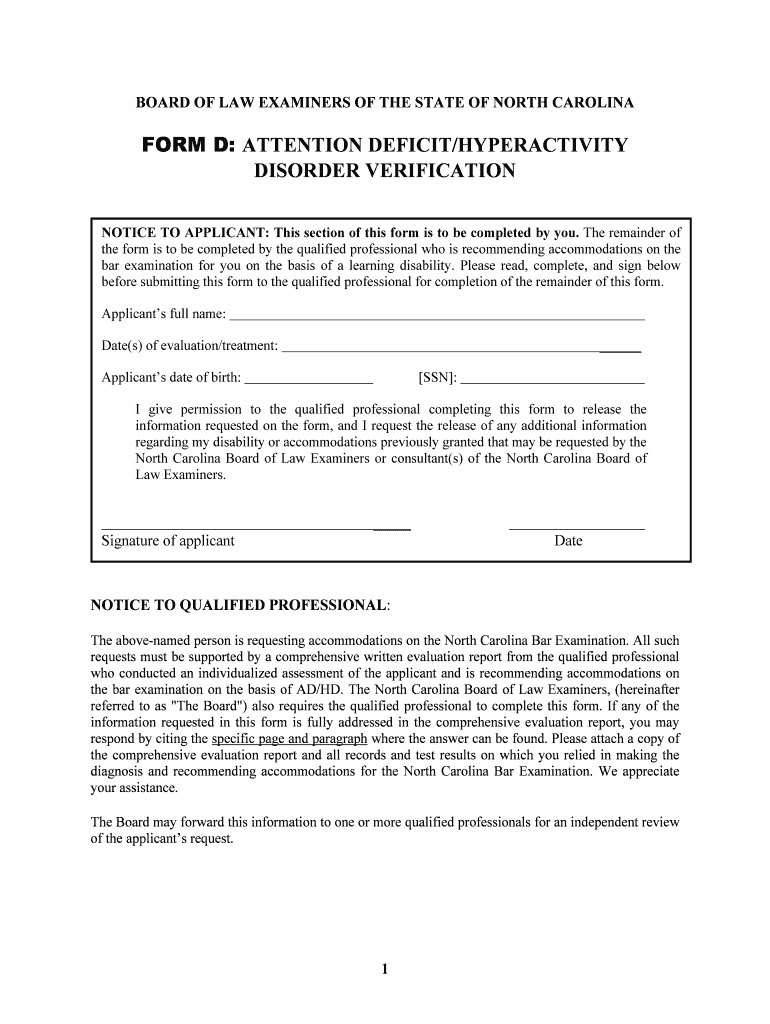
Of the form is to be completed by the qualified professional who is recommending accommodations on the bar examination for you on the basis of a learning disability. Please read, complete, and sign below before submitting this form to the qualified professional for completion of the remainder of this form. Applicant s full name: Date(s) of evaluation/treatment: Applicant s date of birth: SSN : I give permission to the qualified professional completing this form to release the in.
Loading

Open form follow the instructions

Easily sign the form with your finger

Send filled & signed form or save
How to fill out the NC NCBLE Form D online
Filling out the NC NCBLE Form D is an important step for applicants seeking accommodations for Attention Deficit/Hyperactivity Disorder on the North Carolina Bar Examination. This guide provides clear, step-by-step instructions to assist users in completing the form effectively and accurately.
Follow the steps to complete the NC NCBLE Form D online:
- Press the ‘Get Form’ button to access the NC NCBLE Form D and open it in your chosen editor.
- Enter your full name in the designated field at the top of the form.
- Fill in the date(s) of your evaluation or treatment for AD/HD.
- Provide your date of birth in the specified format.
- Include your Social Security Number (optional depending on the requirement).
- Sign the permission section allowing the qualified professional to release information on your behalf.
- Once you have completed your section, send the form to the qualified professional for their input.
- Ensure the professional completes their section of the form and includes a comprehensive evaluation report.
- Submit the completed form, evaluation report, and any other required documents to the Board as instructed.
- After submission, you may want to save a copy of the filled form for your records or future reference.
Complete your application and submit all necessary documents online to ensure you receive the accommodations you need.
Experience a faster way to fill out and sign forms on the web. Access the most extensive library of templates available.
Related content
Jan 7, 2024 — Enclosed are the Rules Governing Admission to the Practice of Law in...
Feb 2, 2022 — The doctoral capstone experience must be started after completion of all...
Get answers to your most pressing questions about US Legal Forms API.
How to print an NC bar application?
Printing an NC bar application is straightforward. Visit the North Carolina State Bar's official website, where you can find the application forms, including the NC NCBLE Form D. Simply download the required forms, fill them out, and print them for submission. If you need templates or assistance during this process, consider utilizing US Legal Forms to expedite your application.
What is admission by comity?
Admission by comity allows lawyers licensed in other jurisdictions to practice in North Carolina without taking the bar exam, provided they meet specific criteria. This provision aims to recognize the practice standards of other states while ensuring that attorneys uphold North Carolina's legal requirements. It's important to follow the guidelines detailed in the NC NCBLE Form D to facilitate this process. Resources from US Legal Forms can assist you with this application.
How do you qualify for comity in NC?
To qualify for comity in North Carolina, you must have practiced law for a specified number of years in another jurisdiction, typically four of the last five years. You will also need to demonstrate that your legal background aligns with North Carolina's requirements, as outlined in the NC NCBLE Form D. This process allows attorneys licensed in other states to practice seamlessly in NC. Check out platforms like US Legal Forms for further guidance on meeting these qualifications.
What is the bar exam for lawyers in NC?
The bar exam in North Carolina consists of the Multistate Bar Examination (MBE) and additional state-specific essays. This exam evaluates your knowledge of both general legal principles and North Carolina laws. Successfully passing this exam is an essential step in gaining admission to the bar. For detailed information about the exam and preparation materials, consider accessing helpful resources through US Legal Forms.
What do you need to practice law in NC?
To practice law in North Carolina, you need to be a graduate of an accredited law school, pass the bar exam, and submit the NC NCBLE Form D along with a background check. Additionally, you must complete any required continuing education to maintain your license. It's always a good idea to stay informed about the latest legal requirements and resources available to assist you, such as those offered by US Legal Forms.
Can you take the bar without going to law school in North Carolina?
In North Carolina, you cannot take the bar exam without first graduating from an accredited law school. This requirement ensures that all candidates have a solid educational foundation in legal principles. However, you can explore alternative routes that may allow for legal practice under specific conditions. It's important to reference materials like the NC NCBLE Form D for comprehensive guidelines on these pathways.
How to be admitted to NC bar?
Being admitted to the North Carolina bar entails passing the bar exam and completing the NC NCBLE Form D, which includes a thorough background check. You must also provide proof of your legal education from an accredited institution. Lastly, ensure you meet all moral character and fitness requirements, as these factors play a significant role in your admission. For assistance with the application process, US Legal Forms offers tools to help guide you through each step.
How do you qualify for bar reciprocity in NC?
To qualify for bar reciprocity in North Carolina, you need to be an active member in good standing of another state bar and have practiced law for at least four of the last five years. Additionally, review your eligibility on the NC NCBLE Form D, which outlines specific requirements and procedures you must follow. It's crucial to ensure your experience aligns with North Carolina's standards. If you're seeking to streamline this process, US Legal Forms provides resources to help you gather necessary documentation.
How to get dl123 form nc?
You can obtain the DL123 form in North Carolina by accessing the official DMV website or visiting a nearby DMV office. This procedure is vital for certain transactions like license applications or renewals. If you want to avoid hassles, USLegalForms is a valuable resource, guiding you through the requirements and providing the necessary documentation.
How do I get a NC dl123 form?
To acquire a NC DL123 form, which is required for specific driving or licensing transactions in North Carolina, you can visit the North Carolina DMV website or your local DMV office. This form is essential for various processes, and having the correct version is crucial. USLegalForms also offers a way to find and complete required forms efficiently, streamlining your DMV experience.
Use professional pre-built templates to fill in and sign documents online faster. Get access to thousands of forms.
If you believe that this page should be taken down, please follow our DMCA take down process here.