Loading
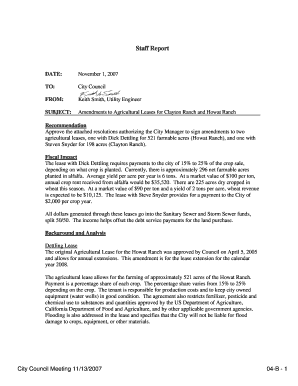
Get Staff Report
How it works
-

Open form follow the instructions
-

Easily sign the form with your finger
-

Send filled & signed form or save
How to fill out the Staff Report online
Filling out the Staff Report online is an essential task for presenting recommendations to the City Council. This guide offers step-by-step instructions to ensure that you complete the form accurately and efficiently.
Follow the steps to successfully complete the Staff Report form.
- Click the ‘Get Form’ button to obtain the Staff Report and open it in your preferred document editing software.
- Begin by filling in the 'Date' field at the top of the form. Enter the current date when you are preparing the report.
- In the 'To' field, specify the recipient of the Staff Report, which is the City Council in this case.
- Next, fill in the 'From' section with your name and title, ensuring that it clearly identifies you as the author of the report.
- In the 'Subject' section, state the purpose of the report. Be concise but informative; mention key topics such as amendments to agricultural leases.
- Move to the 'Recommendation' section where you outline what you are advising the City Council to do, such as approving resolutions.
- Complete the 'Fiscal Impact' section by providing a summary of the financial implications involved in the recommendations.
- In the 'Background and Analysis' section, give a brief history of the leases and relevant details about both the Dettling Lease and the Snyder Lease.
- Finish by ensuring any necessary attachments, like resolution documents or amendments, are included or referenced in your report.
- Finally, review your report for clarity and accuracy. Once satisfied, you can save changes, download, print, or share the completed form as required.
Complete your Staff Report online today to ensure timely submission to the City Council.
The four common types of reports include informational reports, analytical reports, progress reports, and operational reports. Each serves a unique purpose, from sharing data to evaluating performance and offering recommendations. Understanding these types can help you determine what kind of staff report you need based on your specific objectives.
Industry-leading security and compliance
US Legal Forms protects your data by complying with industry-specific security standards.
-
In businnes since 199725+ years providing professional legal documents.
-
Accredited businessGuarantees that a business meets BBB accreditation standards in the US and Canada.
-
Secured by BraintreeValidated Level 1 PCI DSS compliant payment gateway that accepts most major credit and debit card brands from across the globe.