Loading
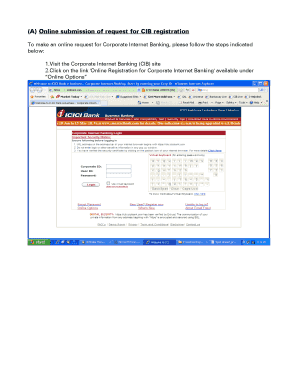
Get (a) Online Submission Of Request For Cib Registration
How it works
-

Open form follow the instructions
-

Easily sign the form with your finger
-

Send filled & signed form or save
How to fill out the (A) Online Submission of Request for CIB Registration online
This guide provides a straightforward approach to filling out the Online Submission of Request for CIB Registration form. It is designed to help users navigate through the online submission process with detailed instructions for each section of the form.
Follow the steps to complete your CIB registration.
- Click the ‘Get Form’ button to obtain the form and open it in the editor.
- Once the form is opened, review the information required. If you do not currently have a Corporate Internet Banking (CIB) facility for your Current Account, click on the link to create a new Corporate ID and user.
- You will next see fields for entering your preferred Corporate ID, account number, the name on the account, the name of the person requesting, contact email ID, and mobile number. Ensure you input accurate information as this will be used for communication regarding your request.
- Specify the minimum and maximum entry limits based on your transaction preferences. Remember, the maximum cannot exceed Rs. 500,000.
- After filling in the required details, click the 'Proceed' button to create users under your Corporate ID (up to five users can be created).
- For each user, provide their first name, middle name, last name, preferred User ID, email ID, mobile number, and select an access option (VIEW, TXN1, or TXN2). Define their per transaction limit and assign a role (Enterer or Approver).
- Depending on the access options selected, you may need to click 'NOW' to set the mode of operation (Single or Joint). Ensure that at least one user is assigned an Enterer role if the mode of operation is Joint.
- Review the terms and conditions, check the box to confirm your adherence, and click 'Accept.'
- Authenticate your request with your Debit Card details and PIN. Upon successful verification, a unique Reference ID will be generated. Make sure to print this page if any users have TXN2 access.
- Finally, to get your passwords, follow the instructions provided in the email with the generated link, entering the Corporate ID, User ID, Reference ID, and passcode as needed.
Complete your documents online now to ensure swift processing.
Related links form
You can obtain your Certificate of Indian Blood through the CIB application process. Begin by using the Online Submission Of Request For CIB Registration to ensure your application is properly filed. After approval, you will receive your certificate directly from the relevant authorities.
Industry-leading security and compliance
US Legal Forms protects your data by complying with industry-specific security standards.
-
In businnes since 199725+ years providing professional legal documents.
-
Accredited businessGuarantees that a business meets BBB accreditation standards in the US and Canada.
-
Secured by BraintreeValidated Level 1 PCI DSS compliant payment gateway that accepts most major credit and debit card brands from across the globe.