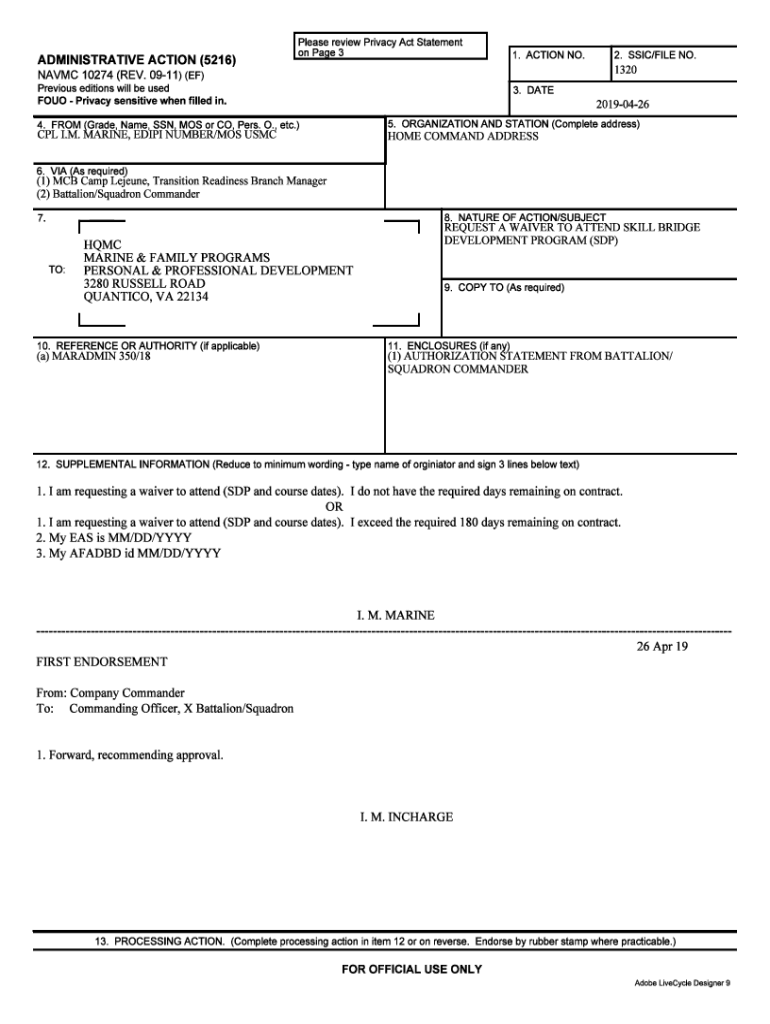
ADMINISTRATIVE ACTION (5216) NAVMC 10274 (REV. 393) (EF) 1. ACTION NO. Previous editions will be used SN: 0109LF0633200 U/I: PADS OF 100 4. FROM (Grade, Name, SSN, MOS, or CO, Pers. O., etc.) GYSGT.

Open form follow the instructions

Easily sign the form with your finger

Send filled & signed form or save
How to use or fill out the NAVMC 10274 online
Filling out the NAVMC 10274 form online can be a straightforward process with the right guidance. This guide will provide you with detailed steps to ensure you complete the form accurately and efficiently.
Follow the steps to successfully fill out the NAVMC 10274 online.
- Click ‘Get Form’ button to obtain the form and open it in the editor.
- Begin by entering your personal information in the designated fields, including your full name, address, and contact details.
- Proceed to describe your military service. Be sure to include your branch, service number, and dates of service.
- Next, detail any relevant education and training you have received. This section may include schools attended and degrees earned.
- In the following section, provide information regarding your employment history. This should cover previous positions held and corresponding dates.
- After entering your employment history, review any necessary certifications or licenses. Include any valid documentation as required.
- Finally, review all the information you have entered for accuracy. Once you are satisfied, you can either save your progress, download the completed form, print it for your records, or share it as needed.
Complete your NAVMC 10274 form online today and ensure all your details are accurately submitted.
Experience a faster way to fill out and sign forms on the web. Access the most extensive library of templates available.
Related content
NAVMC 10274 - Administrative Action Author: USMC Forms Manager Subject: Recreated...
NAVMC 10274 (REV. 3-93) (EF). Previous editions will be used. SN: U/I: 100. 3. 4 . Pers...
NAVMC 10274 - Administrative Action. ADMINISTRATIVE ACTION (5216) 1. 2. NO. NAVMC 10274...
Use professional pre-built templates to fill in and sign documents online faster. Get access to thousands of forms.
If you believe that this page should be taken down, please follow our DMCA take down process here.