Loading
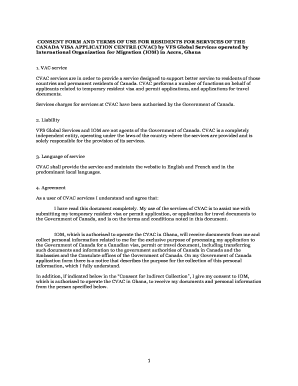
Get Vfs Global Canada Ghana
How it works
-

Open form follow the instructions
-

Easily sign the form with your finger
-

Send filled & signed form or save
How to fill out the Vfs Global Canada Ghana online
Filling out the VFS Global Canada Ghana consent form is a crucial step in your application process for temporary resident visas and permits. This guide will help you navigate through each section of the form with clear instructions.
Follow the steps to successfully complete the consent form.
- Press the ‘Get Form’ button to obtain the consent form and open it in your preferred online editor.
- Begin by entering your name in the 'NAME (printed)' section of the form. Make sure to fill this out legibly as it will be used for identification.
- In the 'ADDRESS' field, provide your current residential address. This information is necessary for contact purposes.
- Next, sign the form in the 'SIGNATURE' section. Ensure that your signature matches the one on any identification documents provided.
- Fill out the current date in the 'DATE' field, ensuring it is the date you are completing the form.
- Indicate where you are signing by entering the city and country in the 'SIGNED AT' section.
- If applicable, complete the 'Consent for Indirect Submission and/or Collection' section if someone else is assisting you by submitting or collecting your application documents.
- Finally, review all sections for accuracy. Once confirmed, you may choose to save changes, download a copy of the completed form, print it for your records, or share it as necessary.
Ensure your application is processed smoothly by completing the VFS Global Canada Ghana consent form online today.
The Canada Visitor Visa Application Process Applications from Ghana take 125 days to process.