Loading
Get Irs 14039 (sp) 2022-2026
How it works
-

Open form follow the instructions
-

Easily sign the form with your finger
-

Send filled & signed form or save
How to fill out the IRS 14039 (SP) online
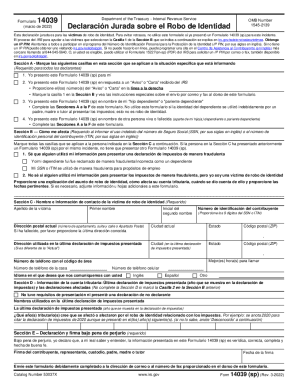
The IRS 14039 (SP) form is essential for individuals who have experienced identity theft and need to report it to the Internal Revenue Service. This guide provides clear, step-by-step instructions to assist users in completing this form online effectively.
Follow the steps to complete the IRS 14039 (SP) online.
- Click ‘Get Form’ button to obtain the form and open it in the editor.
- In Section A, mark the boxes that apply to your situation. This step is required for all users. You need to indicate if you are completing the form for yourself, on behalf of a dependent, or another individual.
- In Section B, select all applicable boxes regarding how your Social Security number or ITIN was misused. Ensure you provide clear and accurate details.
- Fill in Section C with the victim's personal information. This includes their last name, first name, taxpayer identification number, and current mailing address.
- Complete Section D only if applicable, detailing the last tax return filed and any affected tax years.
- In Section E, you must affirm the truthfulness of your information under penalties of perjury. Provide a signature and date for completion.
- If applicable, fill out Section F with the representative's information if you are completing the form on behalf of another person.
- Review all entries for accuracy and completeness before proceeding to save your changes, download, print, or share the form, as necessary.
Complete the IRS 14039 (SP) online today to secure your personal information.
Steps to take if you become a victim Complete IRS Form 14039, Identity Theft Affidavit (PDF), if your e-filed return rejects because of a duplicate filing under your SSN or you are instructed to do so. Use a fillable form at IRS.gov, print, then attach the form to your return and mail according to instructions.