Loading
Get Gsa Sf 1416 1998-2026
How it works
-

Open form follow the instructions
-

Easily sign the form with your finger
-

Send filled & signed form or save
How to fill out the GSA SF 1416 online
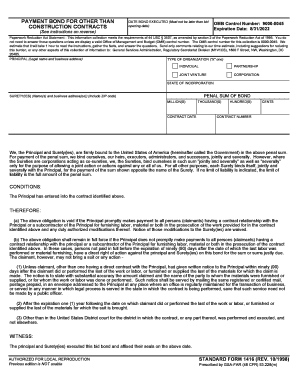
The GSA SF 1416 form is used for payment bonds required for contracts other than construction. This guide provides clear and supportive instructions on how to complete the form accurately and effectively in an online environment.
Follow the steps to complete the GSA SF 1416 form online.
- Use the ‘Get Form’ button to retrieve the GSA SF 1416 document and open it for editing.
- Fill in the date the bond is executed. Ensure this date is not later than the bid opening date.
- Input the full legal name and business address of the Principal in the designated space.
- Select the type of organization by marking 'X' next to the appropriate option (individual, partnership, joint venture, corporation).
- Enter the penal sum of the bond in the specified format (millions, thousands, hundreds, cents).
- Input the contract date and number clearly in the corresponding fields.
- Ensure that the Surety(ies) names and business addresses are provided, including ZIP codes.
- Review the conditions and obligations detailed in the form. It is crucial to understand the responsibilities associated with the bond.
- Obtain all required signatures from the Principal and Surety(ies). The names and titles of each signer must also be typed in the specified areas.
- Complete the form by saving the changes, and choose to download, print, or share the document as needed.
Complete your GSA SF 1416 form online today for efficient document management.
Related links form
When a performance bond is called and the claim has been deemed valid, a surety company will sometimes find a new contractor to complete the project. When this happens, a new contract is drafted with different terms and prices.