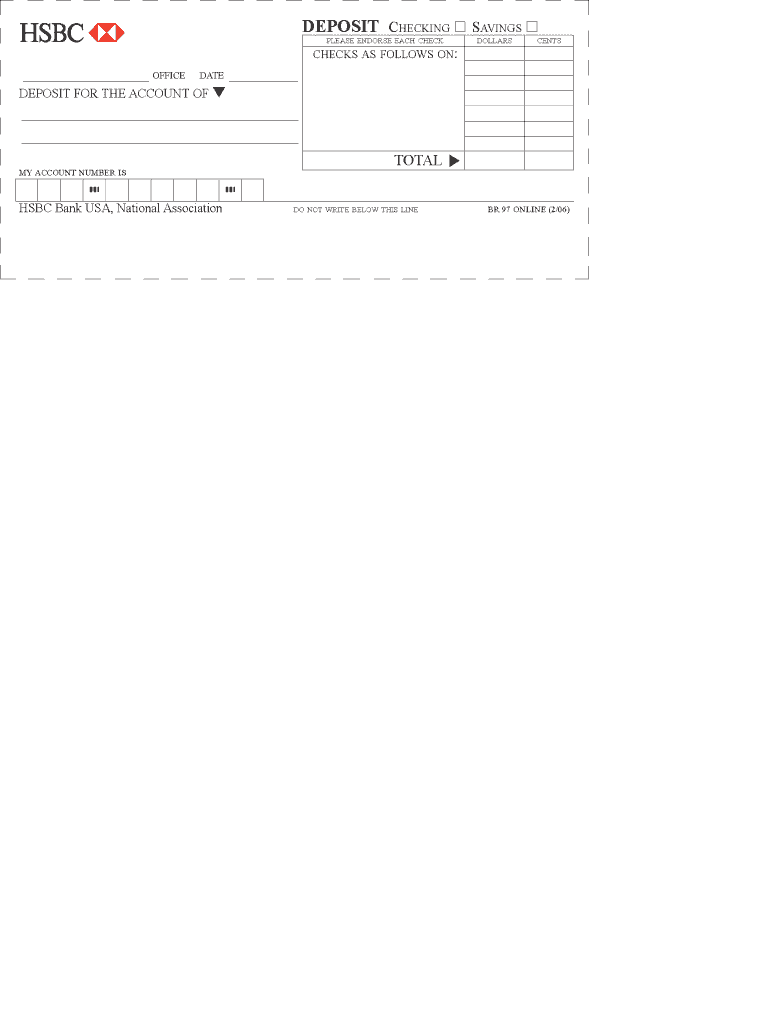
Q DEPOSIT CHECKING D SAVINGS U. PLEASE ENDORSE EACH cHEcK DOLLARS CENTS . CHECKS AS FOLLOWS ONI. OFFICE DATE. DEPOSIT FOR.
Loading

Open form follow the instructions

Easily sign the form with your finger

Send filled & signed form or save
How to fill out the HSBC BR 97 Online
The HSBC BR 97 Online is an important document that requires careful attention when filling out. This guide will provide you with clear and supportive instructions to help you complete the form correctly and efficiently.
Follow the steps to successfully fill out the HSBC BR 97 Online.
- Click ‘Get Form’ button to access the HSBC BR 97 Online form. This will allow you to open the document for editing.
- Begin by entering your personal information in the designated fields. Ensure that all names, addresses, and contact details are accurate and up to date.
- Next, review the specific sections that require additional context or information. Pay close attention to any fields that may have instructions or examples to aid your completion.
- Complete any necessary declarations or agreements provided in the form. Make sure to read through each statement carefully to understand what you are agreeing to.
- Once all fields have been filled out, review the information entered for accuracy. Checking for any errors is crucial to ensure a smooth processing of your application.
- Finally, you can save your changes, download a copy of the completed form, print it for your records, or share the document as needed.
Take the first step in completing your HSBC BR 97 Online by filling out your form today.
Experience a faster way to fill out and sign forms on the web. Access the most extensive library of templates available.
Related content
The newly consolidated WPB CBL provides Retail Banking and. Wealth Management (RBWM)...
by L Albergoni · 2009 · Cited by 4 — A busca por vantagens competitivas no setor...
O comprador deste produto ou terceiros não podem responsabilizar a Seiko Epson...
Get answers to your most pressing questions about US Legal Forms API.
Where do I send my HSBC discharge form?
Your HSBC discharge form should be sent to the designated address given by HSBC in your account documentation. It’s crucial to check their website or contact customer service for the most current information. With the assistance of HSBC BR 97 Online, you can also find details to ensure that your form reaches the right department swiftly.
Where do I send my HSBC closure form?
To send your HSBC closure form, you typically need to mail it to the specific address provided by HSBC in their guidelines. This information is available on their website or through customer service. Ensuring that your closure form is correctly filled out will help expedite the process, which can be checked using HSBC BR 97 Online resources.
How do I upload a payment file to HSBC?
Uploading a payment file to HSBC is a straightforward process. You will need to prepare your file in the HSBC BR 97 Online format and then log into your online banking account. From the payments section, follow the prompts to upload your file securely and efficiently.
How do I report a payment to HSBC?
To report a payment to HSBC, you can utilize their online banking platform for quick reporting. It’s important to have your transaction details on hand to ensure the process is efficient. By using resources like HSBC BR 97 Online, you can easily find the appropriate forms and follow steps to report any issues related to your payments.
How to approve payment in HSBC?
Approving a payment in HSBC typically involves logging into your online banking account. From there, navigate to the payment section and review the pending transactions. With the HSBC BR 97 Online guide, you can confidently verify and approve payments quickly and securely.
How to file a dispute in HSBC credit card?
To file a dispute with your HSBC credit card, begin by gathering all necessary documentation related to the transaction in question. You can either call HSBC customer service or log into your HSBC online banking account to submit your dispute. Using the HSBC BR 97 Online resources, you can easily access your account details and monitor the progress of your dispute.
What format is HSBC payment upload?
HSBC payment uploads typically require the use of specific formats, such as CSV or XML. The HSBC BR 97 Online format is widely accepted, making it the preferred choice for many users. This compatibility helps in facilitating seamless transactions while ensuring that all necessary data is accurately captured.
Why does my bank have 2 different routing numbers?
Your bank may have two different routing numbers to facilitate various transaction types. Typically, one number is for wire transfers while the other is for electronic payments like ACH. This separation helps ensure faster processing and reduces errors. When using HSBC BR 97 Online, knowing which number to use is key to managing your finances effectively.
Are all HSBC routing numbers the same?
No, HSBC routing numbers vary based on service type and location. Each routing number is designed for specific functions, like wire transfers or ACH payments. When using HSBC BR 97 Online, ensure you use the correct routing number for your transaction to avoid complications. Checking your account details can help clarify which number to use.
What is the difference between a wire routing number and an ACH routing number?
The main difference lies in the type of transaction each routing number supports. A wire routing number is used for real-time transfers while an ACH routing number processes electronic payments that are generally settled in batches. Understanding these differences is essential for using services like HSBC BR 97 Online. With this knowledge, you can choose the appropriate number for your transactions.
Use professional pre-built templates to fill in and sign documents online faster. Get access to thousands of forms.
If you believe that this page should be taken down, please follow our DMCA take down process here.