Loading
Get Id St-104g 1995-2026
How it works
-

Open form follow the instructions
-

Easily sign the form with your finger
-

Send filled & signed form or save
How to fill out the ID ST-104G online
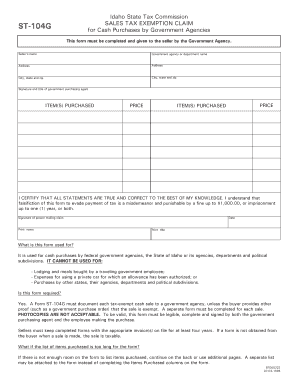
The ID ST-104G form is utilized by government agencies to claim sales tax exemptions for cash purchases. This guide will walk you through each section of the form to ensure you complete it accurately.
Follow the steps to fill out the ID ST-104G online.
- Click ‘Get Form’ button to access the ID ST-104G form and open it in your chosen editor.
- Enter the seller's name in the designated field. This is the name of the individual or business that sold the items.
- In the next section, fill in the government agency or department name that is making the purchase. Be precise to avoid any confusion.
- Provide the agency's address, including the street address, city, state, and zip code, ensuring all details are accurate and complete.
- The government purchasing agent must sign and provide their title in the designated areas to validate the form.
- For each item purchased, input the name of the item(s) and their respective prices in the given fields. If you have more items than fit on the form, continue detailing them on the back or attach a separate list.
- The individual making the claim must certify the accuracy of the statements by signing the form and printing their name beneath the signature.
- Lastly, enter the date on which the form is being completed, and the person’s title should be printed in the indicated section.
- Review the completed form for any errors or omissions. Once confirmed, save changes, then download, print, or share the form as needed.
Complete your documents online today to streamline your processes.
No, a tax-exempt ID and an Employer Identification Number (EIN) are not the same. The tax-exempt ID, such as the one provided by the ID ST-104G, allows you to make tax-exempt purchases, while the EIN is used for tax reporting and business identification purposes. It is essential to understand these differences to ensure compliance with tax laws.