Loading
Get Or Or-40 2019
How it works
-

Open form follow the instructions
-

Easily sign the form with your finger
-

Send filled & signed form or save
How to use or fill out the OR OR-40 online
Filling out the Oregon Individual Income Tax Return, or OR OR-40, online can seem daunting. This guide will provide you with step-by-step instructions to help you complete the form accurately and efficiently.
Follow the steps to successfully complete the OR OR-40 form online.
- Press the ‘Get Form’ button to obtain the form and open it in the editing interface.
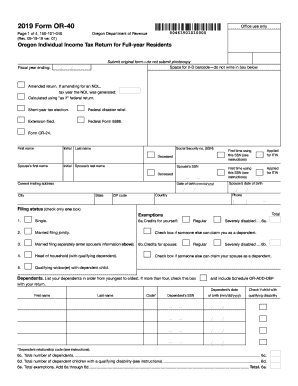
- Begin by providing your personal information at the top of the form, including your first name, last name, and Social Security number. If applicable, include your spouse's details and indicate your filing status by checking the appropriate box.
- Enter your current mailing address. Be sure to include the city, state, and ZIP code.
- List your dependents by entering their names, Social Security numbers, and dates of birth. If there are more than four dependents, indicate that you have additional dependents.
- Complete the sections for income, deductions, and credits. Follow the prompts to enter your federal adjusted gross income and any additions or subtractions. Be careful to add or subtract the correct amounts, leading to your Oregon taxable income.
- Fill in the taxes owed based on your taxable income and apply any credits. Review the calculations to ensure they align with the latest instructions.
- If applicable, indicate any payments made, including Oregon income tax withheld. This section will help determine if you have an amount due or a refund owed to you.
- Complete the signature section by signing and dating the return. If filing jointly, both partners must sign.
- Review all sections of the form for accuracy. Once you have confirmed that all information is correct, you can save the changes, download the form, and print it for submission.
- Submit the completed form based on the indicated instructions for mailing or online payment, ensuring to include any required supporting documents.
Start completing your OR OR-40 online to ensure an accurate and timely filing.
Get form
Experience a faster way to fill out and sign forms on the web. Access the most extensive library of templates available.
The address to mail your OR OR-40 tax return depends on whether you are including a payment or not. If you are sending a payment with your return, mail it to the address specified on the form. If you are not making a payment, you can mail it to a different address listed on the Oregon Department of Revenue's website. Always double-check to ensure your tax return reaches the correct destination.
Get This Form Now!
Use professional pre-built templates to fill in and sign documents online faster. Get access to thousands of forms.