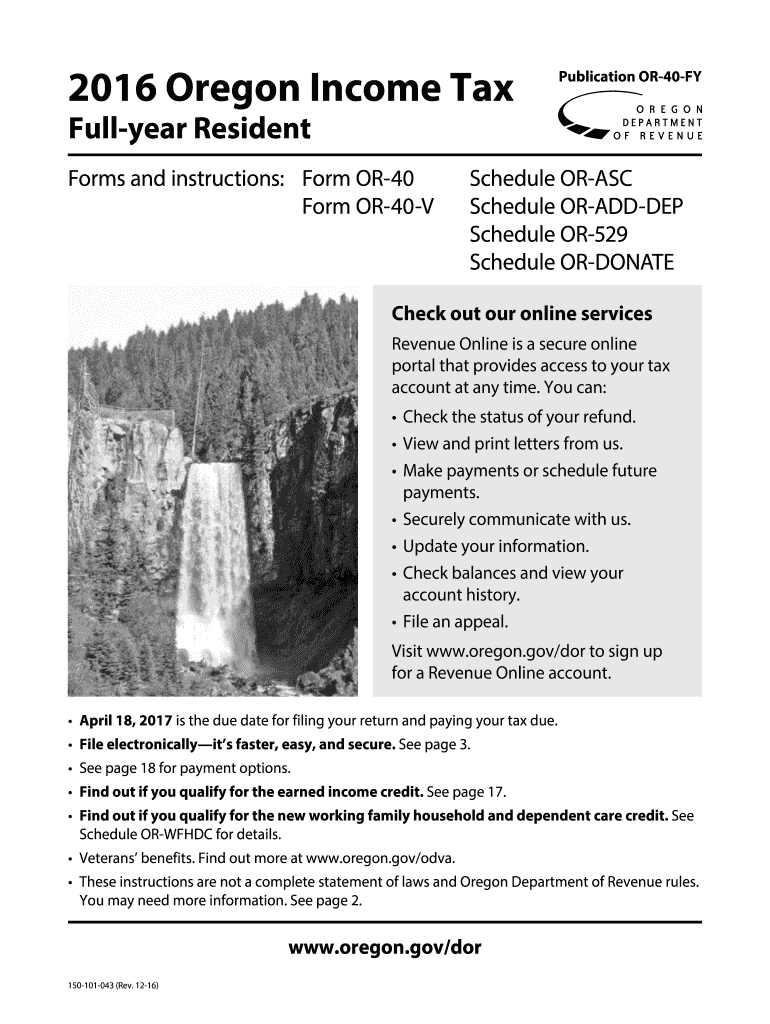
Out our online services Revenue Online is a secure online portal that provides access to your tax account at any time. You can: Check the status of your refund. View and print letters from us. Make payments or schedule future payments. Securely communicate with us. Update your information. Check balances and view your account history. File an appeal. Visit www.oregon.gov/dor to sign up for a Revenue Online account. April 18, 2017 is the due date for filin.
Loading

Open form follow the instructions

Easily sign the form with your finger

Send filled & signed form or save
How to fill out the OR 150-101-043 online
Filling out the OR 150-101-043 form online can simplify your tax filing process. This guide offers clear instructions for each section and field of the form to ensure that users, regardless of their legal experience, can complete their tax return accurately.
Follow the steps to fill out the OR 150-101-043 online.
- Click the ‘Get Form’ button to start the process and access the OR 150-101-043 form.
- Begin by filling out your name and address in the designated fields. Ensure the information matches your official documents for accuracy.
- Select your filing status by checking the appropriate box; this is crucial for determining your tax obligations.
- Report your federal adjusted gross income as required. This value is essential for calculating your Oregon taxable income.
- Calculate your Oregon taxable income by subtracting your deductions from your income.
- Fill out the payments and refundable credits section to report any withholding, estimated payments, or credits you may be claiming.
Complete your OR 150-101-043 form online today for a faster and more efficient filing experience.
Experience a faster way to fill out and sign forms on the web. Access the most extensive library of templates available.
Related content
Mar 11, 2009 — ... 150-101-043-11x17.pdf 3/11/2009 12:13 PM 216914...
Get answers to your most pressing questions about US Legal Forms API.
How do you respond to a divorce petition in California?
To respond to a divorce petition in California, you must file a legal document called a response within the designated time frame, typically 30 days. This document allows you to address each aspect of the petition, agreeing or contesting the claims made. If you find this process overwhelming, platforms like USLegalForms provide tools and templates for responding effectively, especially when dealing with matters related to OR 150-101-043.
What is the 6 month rule for divorce in California?
The 6-month rule in California signifies the minimum time required for a divorce to be finalized after filing. This rule applies to ensure that both parties have an adequate timeframe to resolve their affairs and come to an agreement. Remember, this period starts once the other spouse is served with divorce papers, and you can find more detailed information and forms related to this rule at USLegalForms, specifically referencing OR 150-101-043.
Do I have to fill out an Income and Expense Declaration?
Yes, an Income and Expense Declaration is often required in California divorce cases, especially if child support or spousal support is at stake. This document provides a comprehensive overview of your financial situation, helping the court make informed decisions. If you need guidance on how to complete this declaration accurately, consider using resources from USLegalForms that specifically cater to OR 150-101-043.
What happens if my ex doesn't respond to divorce papers?
If your ex does not respond to divorce papers within the specified time, the court may grant a default judgment in your favor. This means that you could receive the terms you requested without further negotiation. It's crucial to file the appropriate paperwork to obtain this judgment, and using platforms like USLegalForms can help you navigate the requirements surrounding OR 150-101-043.
Can a spouse refuse a divorce in California?
In California, a spouse can express their desire to stay married, but they cannot prevent a divorce under the no-fault divorce law. If one spouse files for divorce, the other must respond if they wish to contest any aspects. It is vital to understand that even if a spouse refuses, the divorce process can proceed, ensuring you can claim your rights. For assistance with this process, check out the resources available at USLegalForms, including their guides on OR 150-101-043.
Can you get a tax refund as a sole proprietor?
Yes, as a sole proprietor, you can receive a tax refund if your total payments and withholdings exceed your tax liability. This scenario often occurs if you make estimated tax payments throughout the year or if you qualify for refundable tax credits. The OR 150-101-043 can help clarify eligibility for these refunds, offering insights into your filing strategy.
How much should I put away for taxes as a sole proprietor?
A good rule of thumb is to set aside 25% to 30% of your income for taxes as a sole proprietor. This buffer accounts for both income tax and self-employment tax. By staying informed about the OR 150-101-043 guidelines, you can ensure that you are adequately preparing for your tax obligations without financial strain.
How to report self-employment income?
To report self-employment income, use Schedule C to detail your earnings and expenses, and include the final profit or loss when filing your individual tax return. It is crucial to keep detailed records to substantiate your reported income. Understanding the provisions in the OR 150-101-043 can help ensure your reporting is consistent and compliant.
How do I tax myself as a sole proprietor?
Taxing yourself as a sole proprietor involves calculating your profits and paying self-employment taxes on that income. You will fill out the Schedule SE form alongside your tax return. Familiarizing yourself with the OR 150-101-043 regulations can provide insights into how to accurately calculate these taxes.
How much can you write off as a sole proprietor?
As a sole proprietor, you can write off various business-related expenses such as supplies, advertising, and home office costs. The key is to keep organized records of your expenses throughout the year. By tapping into the OR 150-101-043 guidelines, you can maximize your deductions and reduce your taxable income.
Use professional pre-built templates to fill in and sign documents online faster. Get access to thousands of forms.
If you believe that this page should be taken down, please follow our DMCA take down process here.
This form is available in several versions. Select the version you need from the drop-down list below.