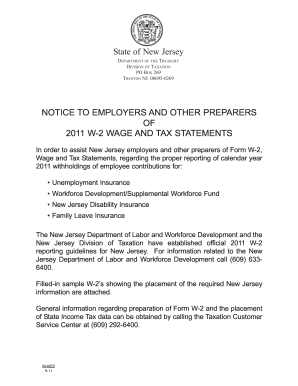
2011 W-2 SAMPLE: ACCEPTABLE ALTERNATE How to Report Worker Contributions for Unemployment Insurance, Workforce Development Partnership Fund/Supplemental Workforce Fund, State Disability Insurance, Family Leave Insurance, Employee Withholding for New Jersey Gross Income Tax a. Employee s social security number b Employer identification number (EIN) 1 Wages, tips, other compensation 2 Federal income tax withheld c Employer s name, address, and ZIP code 3 Social security wages 4 Social.
Loading
Open form follow the instructions
Easily sign the form with your finger
Send filled & signed form or save
How to fill out the NJ M-6025 online
Filling out the NJ M-6025 online can streamline the process and ensure accuracy in reporting New Jersey wage and tax information. This guide provides step-by-step assistance to help users efficiently complete the form.
Follow the steps to complete the NJ M-6025 online.
- Click ‘Get Form’ button to obtain the form and open it in the editor.
- Begin by entering the employee’s social security number in the designated field. This information must be accurate to avoid any issues.
- Next, input the employer identification number (EIN). This unique identifier for your business is essential for proper reporting.
- Fill out the employer’s name, address, and ZIP code in the corresponding fields. Ensure that all information is complete and correct.
- Report wages, tips, and other compensation in the relevant field, which is crucial for calculating the employee's tax obligations.
- Indicate the federal income tax withheld amount. Double-check this figure against your records to ensure accuracy.
- Provide the employee’s first name, initial, last name, and suffix as applicable. Accurate personal identification is necessary.
- Complete the section for state wages, tips, etc. This information is essential for state tax calculations.
- Fill in the state income tax withheld field. Verify this value aligns with the withholdings from the employee's pay.
- Review all entries for accuracy. Once everything is confirmed, you can proceed to save changes, download, print, or share the completed form as needed.
Start filling out the NJ M-6025 online today to ensure a smooth reporting process.
Experience a faster way to fill out and sign forms on the web. Access the most extensive library of templates available.
Related content
Call the. New Jersey Division of. Taxation's Customer Service. Center at 609-292-6400 or...
Jun 18, 2025 — NJ Taxation. Taxation; Filing Services. File Electronically · Pay Tax...
IE4 super premium efficiency. The heart of the synchronous reluctance motor and drive...
Get answers to your most pressing questions about US Legal Forms API.
How do I get proof of residency in NJ?
Getting proof of residency in New Jersey typically involves gathering documents that display your name and address, such as utility bills or bank statements. Additionally, you can request a residency letter from your landlord or property management. Using official documents is crucial, especially for processes related to NJ M-6025 and validating your eligibility for various programs.
How to check status of NJ anchor rebate?
To check the status of your NJ anchor rebate, visit the Division of Taxation's website where you can find a dedicated section for tracking rebates. By entering your pertinent information, you can access real-time updates about your application status. This step ensures you remain informed and can plan accordingly, especially in relation to NJ M-6025 guidelines.
At what age do seniors stop paying property taxes in NJ?
In New Jersey, seniors can benefit from property tax benefits at age 65 or older. While they do not completely stop paying property taxes, they may be eligible for reductions or rebates that significantly lower their tax burdens. It is wise to explore these programs to maximize benefits under provisions similar to NJ M-6025.
How do I claim my NJ property tax rebate?
To claim your NJ property tax rebate, ensure you have submitted the proper application and received approval from the Division of Taxation. After approval, you can claim your rebate through your tax return, which will be automatically calculated. Staying informed about your application status can help you manage this effectively and can tie into compliance measures under NJ M-6025.
What happens if I didn't receive my NJ rebate check?
If you did not receive your NJ rebate check, you should first verify your application status through the Division of Taxation's website. Additionally, it may benefit you to check if your check was sent to the correct address. If you find discrepancies, contacting the Division directly can help resolve issues related to NJ M-6025 and ensure you receive your rightful rebate.
How do I apply for NJ property tax rebate?
To apply for a NJ property tax rebate, you should complete the application form provided by the Division of Taxation, specifically the PTR-1 form. You can file online or submit a paper application, depending on your preference. Be sure to have your property's information and income details ready, as these are crucial for eligibility. Keeping track of these steps can help you successfully secure a rebate as outlined in NJ M-6025.
How do I get NJ state tax forms?
You can access NJ state tax forms online through the New Jersey Division of Taxation website. Simply navigate to the Forms section, where you will find a variety of forms available for download. If you prefer, you can also request forms by mail or visit your local Division of Taxation office for assistance. Utilizing these resources effectively aligns with your NJ M-6025 compliance needs.
How do I get a NJ state tax ID number?
To obtain a NJ state tax ID number, you will need to register your business with the New Jersey Division of Revenue. You can complete this process online through the New Jersey Business Portal. It is essential to gather all necessary documents beforehand, ensuring you have your federal EIN and any business formation documentation ready. This process can simplify your tax obligations under NJ M-6025.
Can I file NJ non resident return online?
Yes, you can file your New Jersey non-resident tax return online. The New Jersey Division of Taxation provides options for e-filing, making the process convenient. To simplify this further, utilizing the NJ M-6025 form can guide you through the online filing process effectively.
Who must file NJ S Corp return?
New Jersey S Corporations must file an S Corporation return, regardless of whether they have taxable income. This includes any entity electing S Corporation status at the federal level. For a simplified process, consider using the NJ M-6025 form to manage your tax obligations efficiently.
Use professional pre-built templates to fill in and sign documents online faster. Get access to thousands of forms.
If you believe that this page should be taken down, please follow our DMCA take down process here.
This form is available in several versions. Select the version you need from the drop-down list below.