Loading
Get De Wcwt-5 - Wilmington 2021-2026
How it works
-

Open form follow the instructions
-

Easily sign the form with your finger
-

Send filled & signed form or save
How to fill out the DE WCWT-5 - Wilmington online
Filling out the DE WCWT-5 form is a necessary step for individuals seeking a refund of Wilmington city wage tax. This guide will provide you with clear, step-by-step instructions to assist you in completing the form online with ease and accuracy.
Follow the steps to successfully complete the DE WCWT-5 form online.
- Click the ‘Get Form’ button to access the DE WCWT-5 form and open it for editing.
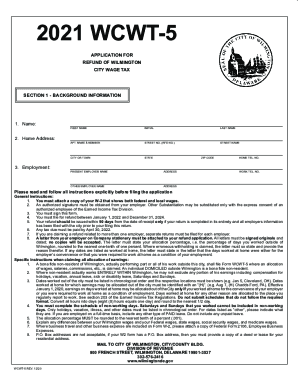
- Begin by entering your background information in Section 1, which includes your name, home address, employment details, and contact information. Make sure all entries are complete and accurate.
- Attach a copy of your W-2 form that displays both federal and local wages. Ensure this is included before moving forward with the application.
- Complete Section 2 by calculating your refund. This involves filling in your gross earnings, overtime details, allocation percentage, and tax calculations based on your reported earnings.
- In Section 3, have your employer certify your claim by signing the employer certification section. This signature confirms the accuracy of the supporting facts based on payroll records.
- If needed, provide additional details in the non-working days section. This should be documented in chronological order, including holidays, vacations, illness, and any other relevant dates.
- Once all sections are filled, review the entire document for accuracy and completeness. You may download, print, or share the form as needed based on your requirements.
Complete your DE WCWT-5 application online today to ensure a smooth process for your tax refund.