Loading
Get Irs 8689 2021
This website is not affiliated with IRS
How it works
-

Open form follow the instructions
-

Easily sign the form with your finger
-

Send filled & signed form or save
How to fill out the IRS 8689 online
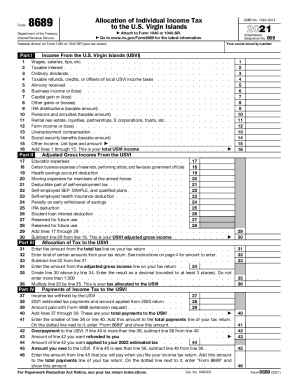
Filling out the IRS Form 8689, Allocation of Individual Income Tax to the U.S. Virgin Islands, can seem daunting. This guide provides clear and detailed steps to help you complete the form accurately and efficiently in an online environment.
Follow the steps to complete your IRS 8689 online.
- Click the ‘Get Form’ button to obtain the form and open it in the editor.
- Enter your social security number in the designated field. This ensures proper identification on your tax return.
- Provide the name(s) as shown on your Form 1040 or 1040-SR. Accuracy in this section is essential for your tax documents.
- In Part I, list all sources of income from the U.S. Virgin Islands. This includes wages, salaries, and any other income as specified in the instructions.
- Proceed to Part II where you will calculate your adjusted gross income from the U.S. Virgin Islands. Follow the guidelines to complete each related line accurately.
- Continue to Part III to fill out your U.S. tax liability based on the calculations from prior sections. Make sure to double-check your entries.
- In Part IV, enter your payments of income tax to the U.S. Virgin Islands. This will include any previous tax payments made during the year.
- Review all the information provided for accuracy before finalizing the document.
- Once completed, save your changes, and you may download, print, or share your form as needed.
Ready to complete your IRS 8689 online? Start now and ensure your tax filing is accurate.
Get form
Experience a faster way to fill out and sign forms on the web. Access the most extensive library of templates available.
Get This Form Now!
Use professional pre-built templates to fill in and sign documents online faster. Get access to thousands of forms.