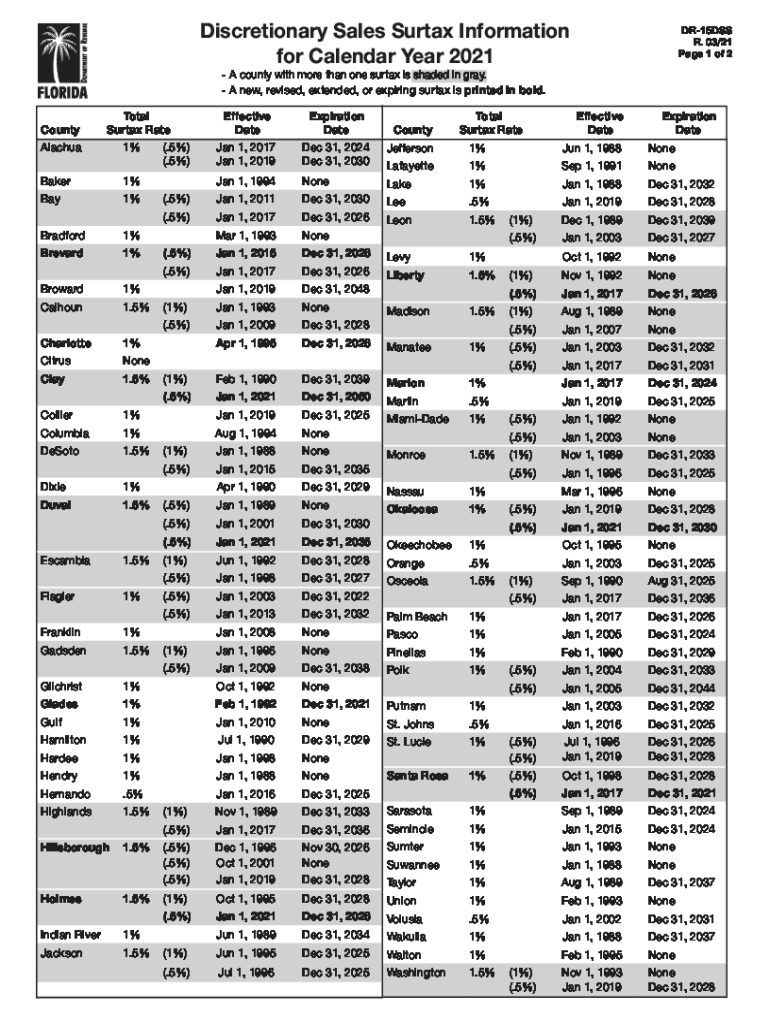
Discretionary Sales Surtax Information For Calendar Year 2015 DR15DSS R. 11/14 This document lists county discretionary sales surtax rates for calendar year 2015. It is each dealers' responsibility.
Loading

Open form follow the instructions

Easily sign the form with your finger

Send filled & signed form or save
How to fill out the FL DR-15DSS online
Filling out the FL DR-15DSS form online can be an efficient way to submit your information. This guide provides clear, step-by-step instructions for each section and field of the form, ensuring you can complete it accurately and confidently.
Follow the steps to successfully fill out the FL DR-15DSS form online.
- Click the ‘Get Form’ button to access the FL DR-15DSS online form and open it in the editor.
- Begin by entering your information in Section 1, which typically requires your full name, address, and contact details. Ensure that all details are accurate.
- Proceed to Section 2, where you will fill out relevant identification numbers or any necessary case numbers associated with your submission.
- In Section 3, provide detailed information regarding the subject of the form. This may involve explaining your circumstances or providing additional context.
- Next, review Section 4 for any required declarations or affirmations that need your signature or initials, confirming the truthfulness of the information provided.
- Finally, once all fields are completed, review all entries for accuracy. Save your changes and choose to download, print, or share the completed form as needed.
Complete your FL DR-15DSS form online for a smooth submission process!
Experience a faster way to fill out and sign forms on the web. Access the most extensive library of templates available.
Related content
A new, revised, extended, or expiring surtax is printed in bold. Discretionary Sales...
Use professional pre-built templates to fill in and sign documents online faster. Get access to thousands of forms.
If you believe that this page should be taken down, please follow our DMCA take down process here.
This form is available in several versions. Select the version you need from the drop-down list below.