Loading
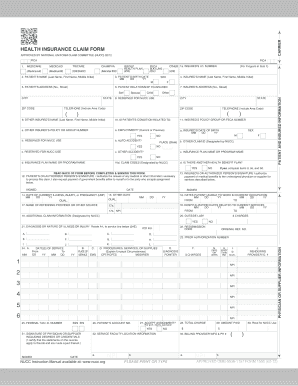
Get Emblemhealth Cms-1500 2012-2026
How it works
-

Open form follow the instructions
-

Easily sign the form with your finger
-

Send filled & signed form or save
How to fill out the EmblemHealth CMS-1500 online
Filling out the EmblemHealth CMS-1500 form online is a straightforward process that ensures your information is submitted accurately. This guide will help you navigate each component of the form with clarity and ease, making it simple to complete the required fields.
Follow the steps to complete your EmblemHealth CMS-1500 form online.
- Click the ‘Get Form’ button to access the form and open it in your chosen editing tool.
- Begin by entering the patient's personal information in the designated fields, including their name, date of birth, and insurance details.
- Next, provide the provider's information, ensuring that you include full names, addresses, and contact numbers.
- Fill out the insurance and policy number sections accurately, as this information is crucial for processing claims.
- In the section for treatment information, clearly describe the services provided, using specific coding where applicable.
- Double-check all entries for accuracy to avoid any delays in processing.
- Once complete, save your changes, and choose to download, print, or share the form as needed.
Start filling out your EmblemHealth CMS-1500 form online today for efficient and accurate submissions.
You can easily order CMS 1500 forms through the EmblemHealth website or various online platforms that provide medical billing resources. Simply choose the quantity you need and follow the ordering process outlined on the site. Platforms like uslegalforms also offer assistance in obtaining these forms, helping you manage your EmblemHealth CMS-1500 filing requirements with ease.