Loading
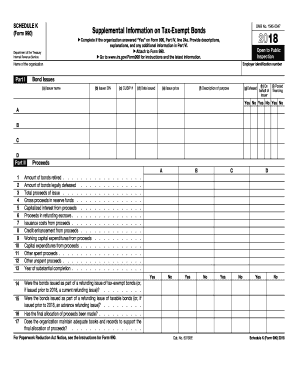
Get Irs 990 - Schedule K 2018
This website is not affiliated with IRS
How it works
-

Open form follow the instructions
-

Easily sign the form with your finger
-

Send filled & signed form or save
How to fill out the IRS 990 - Schedule K online
Filling out the IRS 990 - Schedule K is crucial for organizations seeking to report information on tax-exempt bonds. This guide provides clear, step-by-step instructions for completing the form online, ensuring users have the necessary tools to accurately report their data.
Follow the steps to fill out the IRS 990 - Schedule K online
- Click ‘Get Form’ button to obtain the IRS 990 - Schedule K form and open it for editing.
- In Part I, input details regarding bond issues. This includes the issuer name, issuer EIN, CUSIP number, date issued, issue price, and a description of the purpose of the bond. Mark 'Yes' or 'No' for if the bond is defeased and if it is on behalf of the issuer.
- In Part II, provide detailed information on proceeds. This includes amounts for bonds retired, legally defeased bonds, and the total proceeds of the issue. Note any amounts in reserve funds, capitalized interest from proceeds, and other relevant figures.
- Complete Part III by addressing private business use. Answer questions regarding partnerships, lease arrangements, or management contracts that may result in private business use of bond-financed property. Additionally, indicate the percentage of property used in private business.
- In Part IV, answer questions related to arbitrage. Confirm if Form 8038-T has been filed, if the bond issue is a variable rate issue, and provide information regarding qualified hedges and gross proceeds investments.
- Part V focuses on the procedures to undertake corrective action. Indicate whether the organization has established procedures for identifying and correcting any violations of federal tax requirements.
- Finally, in Part VI, provide any supplemental information needed to clarify responses from previous sections. This can include additional descriptions or explanations regarding the data reported.
- Review all provided information for accuracy. Once completed, save the changes, download the form, print it for your records, or share it as required.
Begin completing your IRS 990 - Schedule K online to ensure accurate and timely reporting.
Get form
Experience a faster way to fill out and sign forms on the web. Access the most extensive library of templates available.
You report 1099-K income on your Form 1040, typically on Schedule 1 or Schedule C, depending on your specific situation. This includes all payments received from payment card transactions and third-party network transactions. If you have questions about how to report this correctly, US Legal Forms can assist you in navigating the forms and processes efficiently.
Get This Form Now!
Use professional pre-built templates to fill in and sign documents online faster. Get access to thousands of forms.