Loading
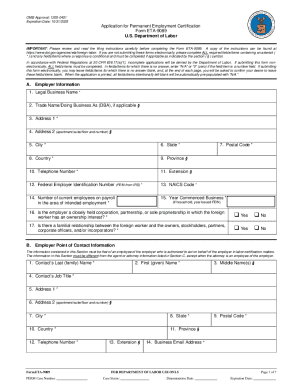
Get Dol Eta Form 9089
How it works
-

Open form follow the instructions
-

Easily sign the form with your finger
-

Send filled & signed form or save
How to fill out the DoL ETA Form 9089 online
The DoL ETA Form 9089 is a critical document for obtaining permanent employment certification from the U.S. Department of Labor. This guide provides comprehensive, step-by-step instructions for completing the form online, ensuring that users with varying levels of experience can navigate the process with ease.
Follow the steps to successfully complete the DoL ETA Form 9089 online.
- Press the ‘Get Form’ button to access the form and open it in your chosen editor.
- Begin by filling out the section labeled A. Refiling Instructions. If you wish to use a previous filing date from the ETA 750 application, indicate so by selecting 'Yes' and entering the previous filing date along with the case number or applicable state.
- Proceed to section B. Schedule A or Sheepherder Information. Choose 'Yes' or 'No' to indicate if your application supports a Schedule A or Sheepherder occupation. Note: These applications must be sent to the Department of Homeland Security directly.
- In section C, input the Employer Information. Fill in the employer's name, address, city, state, country, postal code, phone number, total number of employees, year business commenced, Federal Employer Identification Number (FEIN), and the NAICS Code.
- Complete section D with Employer Contact Information. Ensure the contact person listed is different from the agent or attorney provided in section E, including their name, address, phone number, and email.
- If applicable, fill in section E with Agent or Attorney Information. Include the representative's details such as name, firm name, firm EIN, and contact information.
- In section F, provide the Prevailing Wage Information. Enter the tracking number, SOC/O*NET code, occupation title, skill level, prevailing wage, and the source of the wage.
- Continue to section G to record the Wage Offer Information. Enter the offered wage amount and its frequency (hourly, weekly, etc.).
- Fill in section H, Job Opportunity Information, which includes the primary worksite address, job title, education requirements, and whether training or experience is necessary.
- Proceed to section I for Recruitment Information. Complete details about the recruitment process, including any advertisement dates and compliance with labor requirements.
- In section J, provide detailed information about the alien, including their personal data, citizenship, education, and work experience relevant to the job opportunity.
- Detail the alien's work experience in section K, listing all relevant jobs held over the past three years along with necessary job duties.
- Finally, complete sections L, M, and N for the Alien Declaration, Preparer Declaration, and Employer Declaration respectively. Ensure all required signatures are included and be mindful of signing electronically when applicable.
- After reviewing all entered data for accuracy and completeness, you may save changes, download, print, or share the completed form as necessary.
Begin your application for permanent employment certification by completing the DoL ETA Form 9089 online today.
Filing for DOL PERM requires completing the ETA Form 9089. You will need to gather necessary documentation, including job descriptions and employer data. Utilizing platforms like USLegalForms can be beneficial in guiding you through this process and ensuring that all information is provided correctly.