Loading
Get Irs 8752 2011
How it works
-

Open form follow the instructions
-

Easily sign the form with your finger
-

Send filled & signed form or save
How to fill out the IRS 8752 online
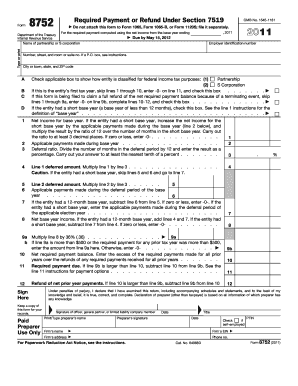
Filling out Form 8752 is an essential process for partnerships and S corporations that have elected to adopt a nonrequired tax year. This guide provides clear, step-by-step instructions to help users navigate the form while ensuring compliance with IRS regulations.
Follow the steps to successfully complete the IRS 8752 online.
- Click ‘Get Form’ button to obtain the form and open it in the editor.
- Enter the name of the partnership or S corporation in the appropriate field. Ensure that you print or type your entries clearly.
- Provide the employer identification number (EIN) in the specified section. This unique identifier is essential for processing your form.
- Fill in the address details, including number, street, city, state, and ZIP code, for accurate processing of your submission.
- Check the applicable box that indicates the entity's classification for federal income tax purposes — whether it's a partnership or an S corporation.
- If this is the entity's first tax year, check the designated box and enter -0- on line 11.
- If filing to claim a refund due to a terminating event, skip lines 1 through 9a and complete lines 10-12 as instructed.
- Compute the net income for the base year in line 1 according to the specific instructions for partnerships and S corporations.
- List any applicable payments made during the base year on line 2.
- Calculate the deferral ratio on line 3 based on the months in the deferral period.
- Complete lines 4 through 6 as applicable; ensure accuracy in your calculations.
- Calculate and report the net required payment balance on line 10.
- If required payments exceed the previous payments, calculate the owed required payment on line 11.
- Sign and date the form where indicated, confirming that all provided information is complete and accurate.
- Save your changes, download, or print the completed form for your records before submitting it to the IRS.
Complete your IRS 8752 online today to ensure timely and accurate processing.
Get form
Experience a faster way to fill out and sign forms on the web. Access the most extensive library of templates available.
To change your business name with the federal government, you should complete IRS Form 8752. This form allows you to officially notify the IRS of your name change, ensuring your records remain accurate. Don't forget to check other regulatory agencies that may require notification as well.
Get This Form Now!
Use professional pre-built templates to fill in and sign documents online faster. Get access to thousands of forms.