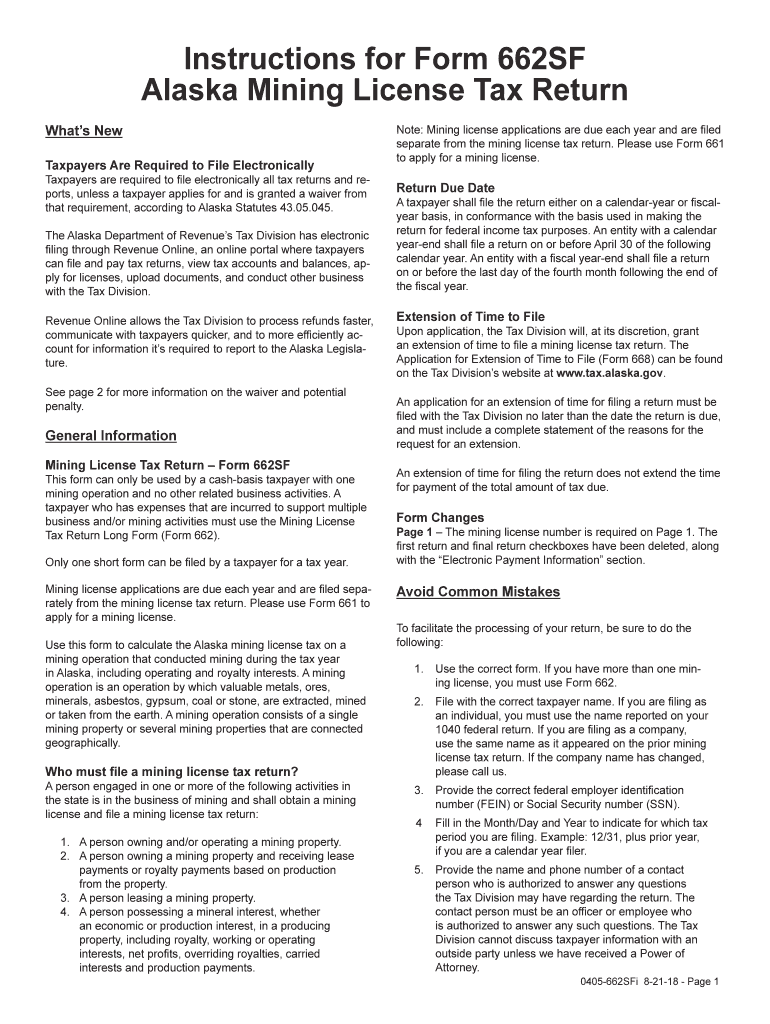
Its tax revenue management system. It s an online portal where taxpayers can file and pay tax returns, view tax accounts and balances, apply for licenses, upload documents, and conduct other business with the Tax Division. Revenue Online allows us to process refunds faster, communicate with taxpayers quicker, and to more efficiently account for information we are required to report to the Alaska Legislature. See the How and Where to File section on Page 2 for more on filing electronical.
Loading

Open form follow the instructions

Easily sign the form with your finger

Send filled & signed form or save
How to fill out the AK 0405-662SFi online
Filling out the AK 0405-662SFi, the Alaska Mining License Tax Return, can seem challenging. This guide provides clear, step-by-step instructions to help you complete the form accurately and efficiently online.
Follow the steps to fill out the AK 0405-662SFi form online successfully.
- Click the ‘Get Form’ button to obtain the AK 0405-662SFi form and open it in the editor.
- Begin by entering the mining license number on Page 1, as it is a required field.
- Indicate the tax period for which you are filing by filling in the Month/Day and Year fields.
- Complete the Gross income from mining operation section by entering the total gross income earned from your mining activities.
- Next, fill in the Royalties received, including all forms of compensation received for the mined materials.
- Calculate and enter the Total income from mining operation by summing the values from the previous two steps.
- Document all expenses related to your mining operation, including Royalties paid, Fuel and oil, Maintenance and repairs, Salaries and wages, Transportation costs, and Depreciation.
- Compute Total expenses by adding all the expense categories listed to ensure accurate reporting.
- Determine Net income before depletion by subtracting Total expenses from Total income.
- If applicable, complete Schedule A for the Depletion expense and enter the result on the form.
- Calculate the Tax by following the guidelines based on your Net taxable income.
- Review all entries for accuracy and completeness, ensuring all required schedules and calculations are attached.
- Sign the return electronically to validate it. Confirm that the return includes the name of an authorized contact for any questions.
- Final step: Save your changes, then download, print, or share the completed form as necessary.
Complete your AK 0405-662SFi form online today for efficient processing and compliance.
Experience a faster way to fill out and sign forms on the web. Access the most extensive library of templates available.
Get answers to your most pressing questions about US Legal Forms API.
How do I report 1099-K income on my tax return?
To report 1099-K income on your tax return, include it on Schedule 1 of IRS Form 1040, where you list other income sources. Ensure you accurately record the amount received, as this contributes to your overall taxable income. Carefully reviewing your figures can help prevent misunderstandings with the IRS. If you want to simplify this reporting, consider referring to resources like US Legal Forms for support regarding the AK 0405-662SFi.
How do I file a 1099r HR block?
Filing a 1099-R through H&R Block requires you to gather your retirement distribution details before starting. You can enter this information using the H&R Block software or website, following the prompts to input the necessary data. Ensuring that you have all documentation organized helps make the process easier. If you have further questions about 1099-R forms related to the AK 0405-662SFi, US Legal Forms offers additional guidance.
Where do I report schedule K income?
Schedule K income needs to be reported on your tax return, typically through Schedule E or directly on your 1040 form, depending on the type of income. This allows the IRS to calculate your taxes accurately based on the income you've reported. It is crucial to ensure this information is precisely detailed to avoid any issues. For additional clarity, leveraging resources from US Legal Forms can help you navigate the nuances of your AK 0405-662SFi reporting.
How do I submit a corrected K 1 to the IRS?
To submit a corrected K-1 to the IRS, you will need to complete a new K-1 form with the correct information and indicate that it is a correction. After filling out the necessary changes, you should provide a copy to both the IRS and the partners involved. Be sure to explain the adjustments in a cover letter for clarity. If you find yourself needing assistance with these corrections, consider using tools like US Legal Forms aimed at making this process smoother for your AK 0405-662SFi.
Does a 1099-K count as earned income?
Yes, a 1099-K does count as earned income because it reflects your earnings from payment transactions processed through third parties. While the income is reported for tax purposes, it may also impact your eligibility for certain benefits or credits. Therefore, understanding this classification helps you maintain accurate tax records and compliance. If you're unsure how to proceed, consider resources like US Legal Forms for support with your AK 0405-662SFi queries.
How to file a VA 763 S?
Filing a VA 763 S involves completing the state-specific form for reporting your income and submitting it to the Virginia Department of Taxation. You can download this form from their official site or find it through tax software like US Legal Forms. Fill out the required sections accurately, then submit the form by mail or electronically as per the guidelines. Regularly checking your submissions can help you keep your AK 0405-662SFi status in good standing.
Where do I put my 1099 income on my tax return?
You should report your 1099 income on your tax return under Schedule 1 for additional income. This section includes all forms of 1099 income, including 1099-K income received from payment processors. By placing it in the correct spot, you ensure proper reporting and calculation of your overall taxable income. Utilizing tools like US Legal Forms can simplify this reporting process related to your AK 0405-662SFi.
How do I file a 1099 K income?
To file a 1099-K income, start by gathering your transaction details, including payment amounts and merchant IDs. Next, use the IRS Form 1099-K, which can often be accessed through accounting software or tax platforms like US Legal Forms. Once you complete the form, submit it to the IRS and provide copies to the payment processors involved in your transactions. Remember, accurate filing ensures compliance with tax regulations, including those related to the AK 0405-662SFi.
How to answer 'Are you exempt from withholding?'
When asked if you are exempt from withholding, provide an honest answer based on your financial situation. If you meet the criteria for exemption, it’s advisable to indicate that you are exempt by filling out the necessary forms properly. The AK 0405-662SFi can guide you in making this determination, ensuring you communicate your status clearly.
How to fill out a withholding allowance certificate?
To fill out a withholding allowance certificate, enter your name, address, and Social Security number. Specify your withholding allowances based on your dependents and any additional allowances you may be eligible for. Assistance from the AK 0405-662SFi can streamline this process, helping you make informed decisions.
Use professional pre-built templates to fill in and sign documents online faster. Get access to thousands of forms.
If you believe that this page should be taken down, please follow our DMCA take down process here.