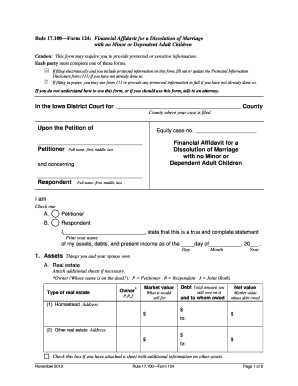
Get Ia Form 124 2013-2026
How it works
-

Open form follow the instructions
-

Easily sign the form with your finger
-

Send filled & signed form or save
How to fill out the IA Form 124 online
Filling out the IA Form 124 is an essential step in the process of seeking a dissolution of marriage without minor or dependent adult children. This guide will provide a thorough walkthrough of each section and field to ensure you complete the form accurately and efficiently.
Follow the steps to accurately complete the IA Form 124.
- Click the ‘Get Form’ button to access the IA Form 124 and open it for editing.
- Start by entering your full name and the details of the county where your case is filed. Specify whether you are the Petitioner or Respondent by checking the appropriate box.
- In the assets section, list all items under several categories: real estate, vehicles, securities, life insurance, bank accounts, household contents, retirement assets, and other assets. For each category, provide information about ownership, market value, any debts owed, and net value.
- Move to the section for other debts. Here, detail any debts not included in the asset section. Clearly identify the debtor for each amount owed.
- Proceed to the income and deductions section. Submit details for both Petitioner and Respondent, providing sources of income and the frequency of payments along with any applicable deductions.
- Complete the expenses section by listing monthly expenditures. This information is crucial if either party seeks spousal support.
- In the attorney help section, indicate whether an attorney assisted you in preparing the form and provide their contact information if applicable.
- Certify that you have provided accurate information by completing the certification of service by mailing or delivery, if required.
- Finalize the form by signing it. If you are filing electronically, remember to handwrite your signature on the printed form, scan it, and then submit it in the electronic filing.
- Once completed, save the changes made to the document. You have the option to download, print, or share the form as needed.
Complete your documents online today for a smooth filing process.
Related links form
The 843 form, also known as the Request for Refund or Credit, is used to request a refund for overpaid taxes in Iowa. Taxpayers must provide specific details regarding the overpayment and the reason for the refund request. It's essential to complete this form accurately to facilitate a smooth refund process. If you're unsure about how to fill it out or have further questions, uslegalforms offers clear instructions and access to the IA Form 124 as part of their extensive resources.