Loading
Get General Instructions For Dhs 8016
How it works
-

Open form follow the instructions
-

Easily sign the form with your finger
-

Send filled & signed form or save
How to fill out the General Instructions for DHS 8016 online
Filling out the General Instructions for DHS 8016 is an essential step for providers submitting their CMS 1500 claims. This guide will help you navigate each section of the form accurately and efficiently.
Follow the steps to complete the DHS 8016 form effectively.
- Press the ‘Get Form’ button to access the DHS 8016 form in your preferred format.
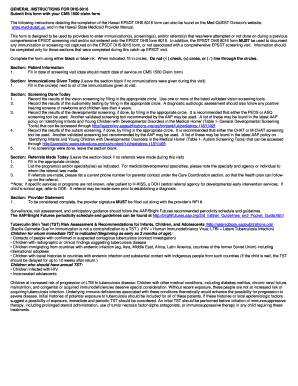
- In the Patient Information section, fill in the date of the screening visit. Ensure that this date matches the date of service on the CMS 1500 claim form.
- For the Immunizations Given Today section, fill in the circle(s) next to all immunizations that were provided during the visit. If no immunizations were administered, leave this section blank.
- In the Screening Done Today section, record the results of the vision screening by filling in the appropriate circle using a validated tool. Also, document the audiometry testing results, recommending follow-up assessments for positive hearing screens. Then, record the developmental screening and autism screening results using the PEDS, ASQ, CHAT, or M-CHAT tools as recommended.
- If no screenings were performed, leave the section blank.
- In the Referrals Made Today section, fill in the appropriate circle(s) if any referrals were made. List the names of the program(s) and/or specialty(ies) referred to, including the relevant contact numbers for follow-ups.
- Finally, in the Provider Statement section, ensure that the provider's signature and NPI number are included. This section is crucial for the completion of your submission.
- Once all sections are filled accurately, you may save your changes, download, print, or share the form as needed.
Complete your DHS 8016 form online today to ensure accurate processing of your claims.