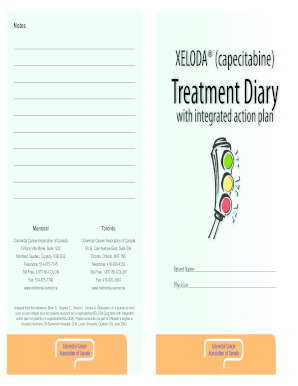
Get Canada Treatment Diary With Integrated Action Plan 2004-2026
How it works
-

Open form follow the instructions
-

Easily sign the form with your finger
-

Send filled & signed form or save
How to fill out and sign Canada Treatment Diary with Integrated Action Plan online?
Get your online template and fill it in using progressive features. Enjoy smart fillable fields and interactivity.Follow the simple instructions below:The era of troubling intricate legal and tax paperwork has concluded. With US Legal Forms, the task of submitting official paperwork is stress-free. The top editor is readily available, providing you with a selection of useful tools for completing a Canada Treatment Diary with Integrated Action Plan. These instructions, alongside the editor, will assist you throughout the entire process.
We simplify the process of completing any Canada Treatment Diary with Integrated Action Plan. Utilize it now!
- Press the orange Get Form button to start editing and improving.
- Activate the Wizard mode on the upper toolbar for additional guidance.
- Fill out every fillable section.
- Verify that the information you enter in the Canada Treatment Diary with Integrated Action Plan is current and accurate.
- Insert the date into the form using the Date option.
- Click the Sign button to create a signature. You will have three available options: typing, drawing, or uploading one.
- Review once more to ensure each field has been completed accurately.
- Choose Done in the top right corner to save or send the document. There are multiple options for receiving the document: as an instant download, an email attachment, or via mail as a physical copy.
Tips on how to fill out, edit and sign Canada Treatment Diary with Integrated Action Plan online
How to fill out and sign Canada Treatment Diary with Integrated Action Plan online?
Get your online template and fill it in using progressive features. Enjoy smart fillable fields and interactivity.Follow the simple instructions below:
The era of troubling intricate legal and tax paperwork has concluded. With US Legal Forms, the task of submitting official paperwork is stress-free. The top editor is readily available, providing you with a selection of useful tools for completing a Canada Treatment Diary with Integrated Action Plan. These instructions, alongside the editor, will assist you throughout the entire process.
We simplify the process of completing any Canada Treatment Diary with Integrated Action Plan. Utilize it now!
- Press the orange Get Form button to start editing and improving.
- Activate the Wizard mode on the upper toolbar for additional guidance.
- Fill out every fillable section.
- Verify that the information you enter in the Canada Treatment Diary with Integrated Action Plan is current and accurate.
- Insert the date into the form using the Date option.
- Click the Sign button to create a signature. You will have three available options: typing, drawing, or uploading one.
- Review once more to ensure each field has been completed accurately.
- Choose Done in the top right corner to save or send the document. There are multiple options for receiving the document: as an instant download, an email attachment, or via mail as a physical copy.
How to Alter Get Canada Treatment Diary with Combined Action Plan 2004: Personalize forms online
Explore a singular service to handle all your documentation effortlessly. Locate, alter, and complete your Get Canada Treatment Diary with Combined Action Plan 2004 within a unified interface utilizing advanced tools.
The era when individuals had to print forms or manually write them is in the past. Today, all that is needed to access and finalize any form, such as the Get Canada Treatment Diary with Combined Action Plan 2004, is to open just one tab in your browser. Here, you can find the Get Canada Treatment Diary with Combined Action Plan 2004 form and adjust it however you require, from inserting text directly into the document to sketching it on a digital sticky note and affixing it to the document. Uncover tools that will simplify your documentation without additional effort.
Simply click the Get form button to set up your Get Canada Treatment Diary with Combined Action Plan 2004 documentation effortlessly and begin adjusting it immediately. In the editing mode, you can seamlessly input your details into the template for submission. Just click on the field you wish to change and enter the information straightaway. The editor's interface does not necessitate any particular skills to navigate. Once you've completed the modifications, verify the accuracy of the information once more and sign the document. Click on the signature field and follow the prompts to eSign the form in no time.
Utilize additional tools to tailor your form:
Completing Get Canada Treatment Diary with Combined Action Plan 2004 forms will no longer be confusing if you know where to search for the appropriate template and complete it swiftly. Do not hesitate to test it out for yourself.
- Employ Cross, Check, or Circle tools to identify the document's data.
- Insert text or fillable text fields with text adjustment tools.
- Remove, Highlight, or Blackout text sections in the document using corresponding tools.
- Add a date, initials, or even an image to the document if required.
- Take advantage of the Sticky note tool to annotate the form.
- Use the Arrow and Line, or Draw tool to incorporate visual elements into your file.
Related links form
The Canadian AMR action plan focuses on combating antimicrobial resistance in healthcare. It outlines strategies to improve prevention, surveillance, and infection control measures across the country. Utilizing resources like the Canada Treatment Diary with Integrated Action Plan can aid healthcare professionals in aligning their practices with the goals of this important public health initiative.