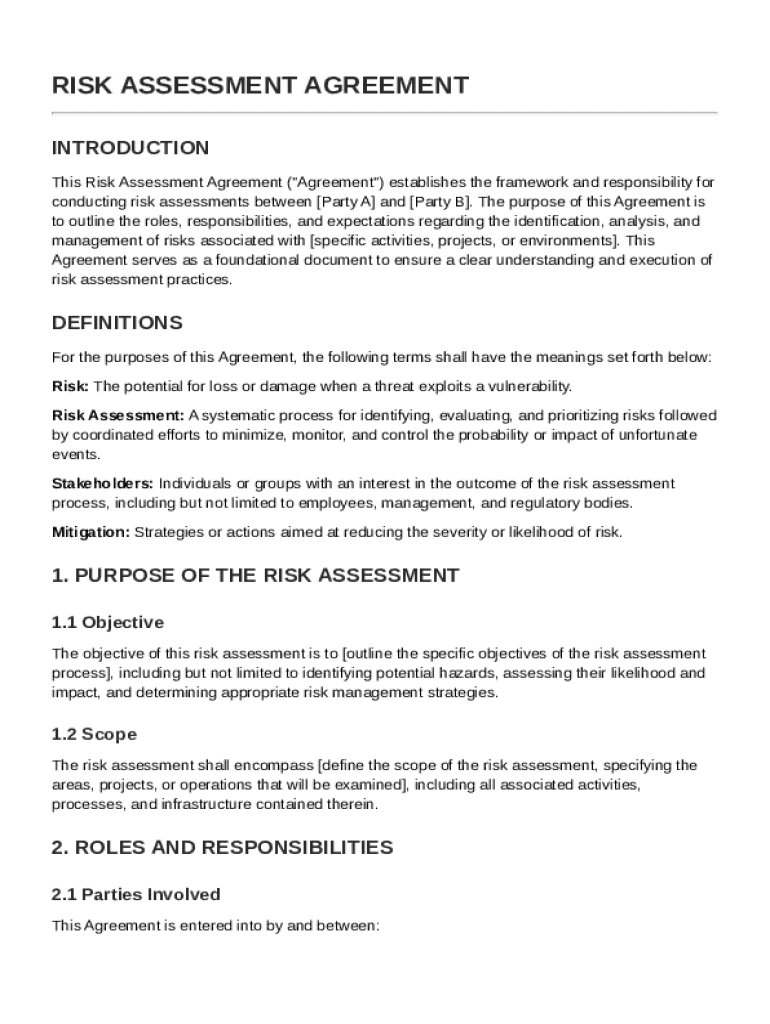
The purpose of this Agreement is to outline the roles, responsibilities, and expectations regarding the identification, analysis, and management of risks associated with specific activities, projects, or environments . This Agreement serves as a foundational document to ensure a clear understanding and execution of risk assessment practices. DEFINITIONS For the purposes of this Agreement, the following terms shall have the meanings set forth below: Risk: The potential for loss or damage whe.

Open form follow the instructions

Easily sign the form with your finger

Send filled & signed form or save
How to fill out and sign Risk Assessment Agreement Template online?
Get your online template and fill it in using progressive features. Enjoy smart fillable fields and interactivity.Follow the simple instructions below:
Choosing a authorized specialist, creating a scheduled visit and going to the office for a private meeting makes completing a Risk Assessment Agreement Template from start to finish stressful. US Legal Forms enables you to quickly generate legally binding documents based on pre-built browser-based blanks.
Execute your docs in minutes using our simple step-by-step guideline:
- Find the Risk Assessment Agreement Template you need.
- Open it using the online editor and start altering.
- Fill the empty fields; involved parties names, addresses and phone numbers etc.
- Customize the blanks with exclusive fillable areas.
- Put the date and place your e-signature.
- Simply click Done after double-checking all the data.
- Download the ready-made record to your system or print it like a hard copy.
Rapidly generate a Risk Assessment Agreement Template without needing to involve professionals. There are already more than 3 million people making the most of our unique collection of legal documents. Join us today and gain access to the top collection of browser-based templates. Test it yourself!
Tips on how to fill out, edit and sign Risk Assessment Agreement Template online
How to fill and sign Risk Assessment Agreement Template
Get your online template and fill it in using progressive features. Enjoy smart fillable fields and interactivity.Follow the simple instructions below:
Choosing a authorized specialist, creating a scheduled visit and going to the office for a private meeting makes completing a Risk Assessment Agreement Template from start to finish stressful. US Legal Forms enables you to quickly generate legally binding documents based on pre-built browser-based blanks.
Execute your docs in minutes using our simple step-by-step guideline:
- Find the Risk Assessment Agreement Template you need.
- Open it using the online editor and start altering.
- Fill the empty fields; involved parties names, addresses and phone numbers etc.
- Customize the blanks with exclusive fillable areas.
- Put the date and place your e-signature.
- Simply click Done after double-checking all the data.
- Download the ready-made record to your system or print it like a hard copy.
Rapidly generate a Risk Assessment Agreement Template without needing to involve professionals. There are already more than 3 million people making the most of our unique collection of legal documents. Join us today and gain access to the top collection of browser-based templates. Test it yourself!
How to edit Risk Assessment Agreement Template
Completing documents is easy with smart online instruments. Eliminate paperwork with easily downloadable Risk Assessment Agreement Template templates you can modify online and print.
Preparing papers and forms should be more accessible, whether it is a daily component of one’s profession or occasional work. When a person must file a Risk Assessment Agreement Template, studying regulations and instructions on how to complete a form correctly and what it should include might take a lot of time and effort. Nonetheless, if you find the proper Risk Assessment Agreement Template template, completing a document will stop being a struggle with a smart editor at hand.
Discover a broader range of functions you can add to your document flow routine. No need to print, fill in, and annotate forms manually. With a smart editing platform, all the essential document processing functions will always be at hand. If you want to make your work process with Risk Assessment Agreement Template forms more efficient, find the template in the catalog, select it, and discover a less complicated way to fill it in.
- If you want to add text in a random part of the form or insert a text field, use the Text and Text field tools and expand the text in the form as much as you need.
- Utilize the Highlight instrument to stress the key aspects of the form. If you want to cover or remove some text pieces, utilize the Blackout or Erase instruments.
- Customize the form by adding default graphic components to it. Use the Circle, Check, and Cross instruments to add these components to the forms, if needed.
- If you need additional annotations, utilize the Sticky note resource and place as many notes on the forms page as required.
- If the form requires your initials or date, the editor has instruments for that too. Minimize the chance of errors using the Initials and Date tools.
- It is also easy to add custom visual components to the form. Use the Arrow, Line, and Draw instruments to change the document.
The more instruments you are familiar with, the easier it is to work with Risk Assessment Agreement Template. Try the solution that provides everything essential to find and modify forms in a single tab of your browser and forget about manual paperwork.
How to fill and sign Risk Assessment Agreement Template
Get your online template and fill it in using progressive features. Enjoy smart fillable fields and interactivity.Follow the simple instructions below:
Choosing a authorized specialist, creating a scheduled visit and going to the office for a private meeting makes completing a Risk Assessment Agreement Template from start to finish stressful. US Legal Forms enables you to quickly generate legally binding documents based on pre-built browser-based blanks.
Execute your docs in minutes using our simple step-by-step guideline:
- Find the Risk Assessment Agreement Template you need.
- Open it using the online editor and start altering.
- Fill the empty fields; involved parties names, addresses and phone numbers etc.
- Customize the blanks with exclusive fillable areas.
- Put the date and place your e-signature.
- Simply click Done after double-checking all the data.
- Download the ready-made record to your system or print it like a hard copy.
Rapidly generate a Risk Assessment Agreement Template without needing to involve professionals. There are already more than 3 million people making the most of our unique collection of legal documents. Join us today and gain access to the top collection of browser-based templates. Test it yourself!
Experience a faster way to fill out and sign forms on the web. Access the most extensive library of templates available.
Related content
Specifically, this risk assessment template provides a suggested step-by-step approach for...
Note: Regardless of the risk analysis, contracts in excess of $100,000 will require GC...
The project is divided into Business Plan, Device Development, Device Launch, and Funding...
Get answers to your most pressing questions about US Legal Forms API.
How to do a risk assessment step by step?
To conduct a risk assessment step by step, begin by identifying potential risks and their sources. Next, analyze each risk to determine its impact and likelihood. After this, prioritize the risks based on their severity, and finally, develop strategies to mitigate them. Utilizing a Risk Assessment Agreement Template can streamline this process, ensuring you cover all necessary aspects while maintaining organization.
How to document a risk assessment?
To document a risk assessment, start by clearly identifying the risks you have evaluated. Next, record the findings about each risk, including its level of impact and likelihood of occurrence. It's also essential to note the control measures you have implemented. Using a structured Risk Assessment Agreement Template simplifies this process, allowing for clarity and thoroughness in documentation.
What are the 4 P's of risk assessment?
The 4 P's of risk assessment include People, Process, Product, and Place. You should consider who is affected by the risks (People), how the risks interact within workflows (Process), the risks associated with the products used or delivered (Product), and the environment where these interactions take place (Place). Understanding these elements can guide you in acquiring a suitable Risk Assessment Agreement Template to ensure comprehensive coverage.
What are the 3 C's of risk assessment?
The 3 C's of risk assessment are Consequence, Likelihood, and Control. First, you evaluate the consequences of potential risks. Next, you assess the likelihood of those risks occurring. Finally, you determine what controls are in place to mitigate those risks effectively, which can help in drafting a Risk Assessment Agreement Template.
Can I do a risk assessment myself?
Absolutely, you can conduct a risk assessment yourself, provided you gather the necessary information and understand the potential risks. While it may require time and effort, using a Risk Assessment Agreement Template can simplify the process, helping you create a structured and comprehensive assessment tailored to your situation.
Where can you get a risk assessment?
You can obtain a risk assessment from several sources, including internal risk management teams, consulting firms, or even online templates. Many businesses choose to use platforms like uslegalforms, which offer a variety of resources and templates for creating effective risk assessments quickly. This approach can save time while ensuring you meet legal requirements.
How to assess contract risk?
To assess contract risk, start by identifying potential risks in the agreements, such as financial liabilities, compliance issues, and operational challenges. Consider using checklists and review methods within your team for thorough evaluation. A Risk Assessment Agreement Template can streamline this assessment, allowing you to document your findings and ensure all parties understand the risks involved.
Who provides a risk assessment?
Risk assessments can be conducted by internal teams or contracted professionals. These individuals often have expertise in risk management and a deep understanding of your specific industry challenges. To simplify this process, you can leverage a Risk Assessment Agreement Template, which can help outline the roles and responsibilities in conducting a thorough assessment.
Can I write my own risk assessment?
Yes, you can write your own risk assessment. However, you should ensure that it includes key elements such as the scope, risks identified, and measures for mitigation. A Risk Assessment Agreement Template can guide you through this process, allowing you to create a comprehensive and effective document tailored to your needs.
Where would you find a risk assessment in a company?
You can usually find risk assessments in various departments within a company, such as human resources, finance, and operations. These documents are essential for identifying potential hazards and mitigating risks. Utilizing a Risk Assessment Agreement Template helps standardize the assessment process across departments, ensuring consistency and thoroughness in protecting the company's interests.
Use professional pre-built templates to fill in and sign documents online faster. Get access to thousands of forms.
If you believe that this page should be taken down, please follow our DMCA take down process here.