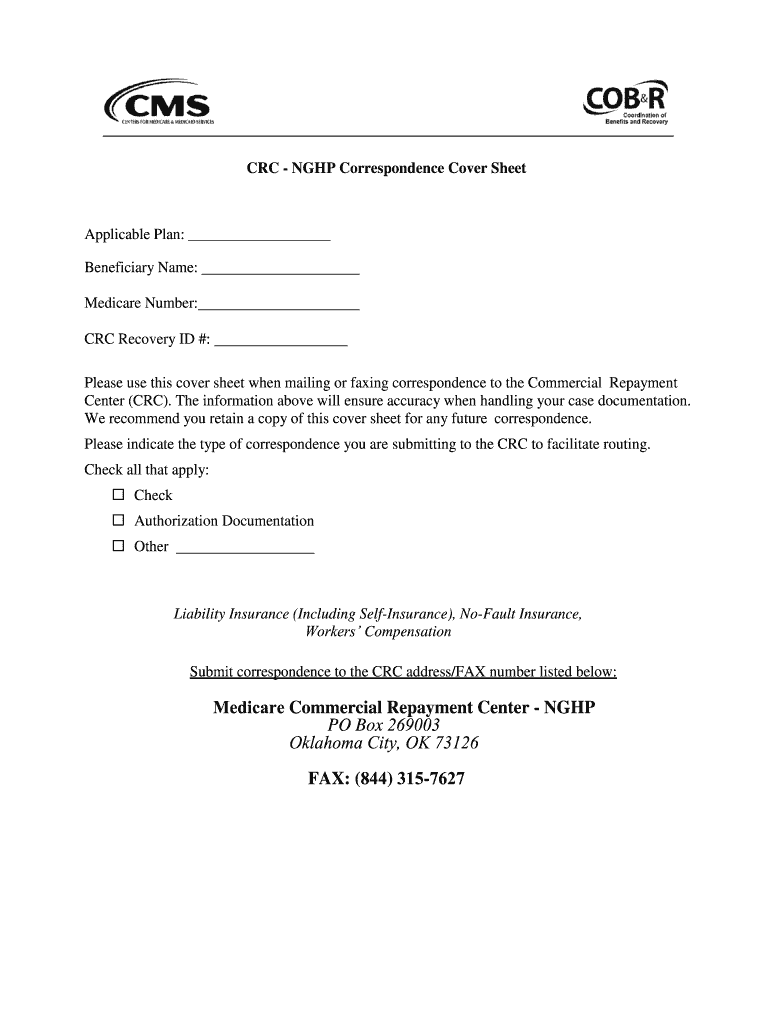
The Commercial Repayment Center (CRC). The information above will ensure accuracy when handling your case documentation. We recommend you retain a copy of this cover sheet for any future correspondence. Please indicate the type of correspondence you are submitting to the CRC to facilitate routing. Check all that apply: Check Authorization Documentation Other Liability Insurance (Including Self-Insurance), No-Fault Insurance, Workers’ Compensation Submit correspondence to the CRC a.
Loading

Open form follow the instructions

Easily sign the form with your finger

Send filled & signed form or save
How to fill out the CMS COB&R NGHP Correspondence Cover Sheet online
The CMS COB&R NGHP Correspondence Cover Sheet is a crucial document used when submitting correspondence to the Commercial Repayment Center. This guide will provide you with clear, step-by-step instructions for accurately completing the cover sheet online.
Follow the steps to fill out the cover sheet correctly.
- Click ‘Get Form’ button to obtain the cover sheet and access it for completion.
- In the 'Applicable Plan' field, enter the name of the insurance plan relevant to your case.
- Fill in the 'Beneficiary Name' field with the full name of the person who is associated with the Medicare number.
- Input the 'Medicare Number' in the specified field to ensure proper identification of the beneficiary.
- Provide the 'CRC Recovery ID #' if available, which helps in tracking the case more efficiently.
- In the 'Type of correspondence' section, check all applicable options to clearly indicate what type of information is being sent to the CRC. Options include 'Check', 'Authorization Documentation', or 'Other'.
- Once you have completed all sections, review the information for accuracy before finalizing.
- You can save changes, download, print, or share the complete form for your records or to submit to the CRC.
Complete your documents online today to ensure timely processing and accurate record-keeping.
Experience a faster way to fill out and sign forms on the web. Access the most extensive library of templates available.
Related content
NGHP Correspondence Cover Sheet-BCRC. Date 2024-01-08. Title NGHP Correspondence Cover...
In general, NGHP coverage is usually limited to care related to the underlying illness or...
Get answers to your most pressing questions about US Legal Forms API.
Why am I receiving mail from CMS?
You may be receiving mail from CMS to keep you informed about your Medicare benefits and any necessary actions. This correspondence can include notices, updates, or requests for information essential for maintaining your coverage. It's a good practice to review the CMS COB&R NGHP Correspondence Cover Sheet for actionable items or clarifications.
Why would I get a letter from Department of Health and Human Services Medicare?
A letter from the Department of Health and Human Services, specifically Medicare, usually relates to your entitlements or benefits under the Medicare program. It could provide updates, request information, or alert you to important actions you may need to take. Keep an eye on any CMS COB&R NGHP Correspondence Cover Sheet, as it will help clarify your next steps.
Why am I getting a letter from CMS?
Receiving a letter from CMS often indicates that there are updates or important information regarding your Medicare plan. It may include information about your rights, coverage, or changes in policy. Always refer to any CMS COB&R NGHP Correspondence Cover Sheet you receive, as it contains essential instructions or requests that could affect your care.
What does the letter CMS mean?
A letter from CMS typically means that the Centers for Medicare & Medicaid Services is communicating important information regarding your Medicare benefits. These letters could clarify your coverage status or request additional information. The CMS COB&R NGHP Correspondence Cover Sheet is an example of such a letter that may provide details on how to proceed with claims.
What is CMS Benefits Coordination & Recovery Center?
The CMS Benefits Coordination & Recovery Center manages coordination between Medicare and other payers. Their role includes recovering payments made by Medicare when another insurance plan is responsible. You may encounter the CMS COB&R NGHP Correspondence Cover Sheet if you receive a letter from this center, informing you about your responsibilities.
What is CMS Notice of Non Coverage?
The CMS Notice of Non Coverage informs you that certain services or items may not be covered by Medicare. Understanding this notice is crucial, as it also highlights the appeal process if you believe the services should be covered. You can refer to the CMS COB&R NGHP Correspondence Cover Sheet for guidance on addressing such issues.
Why would CMS be sending me a letter?
CMS may send you a letter regarding various issues related to your Medicare coverage. This could include updates on your benefits, requests for information, or notifications about the CMS COB&R NGHP Correspondence Cover Sheet. It is essential to review these letters carefully to ensure you understand any actions required on your part.
Will a lawsuit settlement affect my Medicare?
A lawsuit settlement can affect your Medicare benefits if it is deemed a primary payment source. It is vital to report any settlements to Medicare to avoid future reimbursement issues. The CMS COB&R NGHP Correspondence Cover Sheet serves as a critical tool to ensure that you comply with Medicare reporting requirements, protecting your benefits.
Will I lose my Medicaid if I get a settlement?
Receiving a settlement may affect your Medicaid benefits, depending on various factors such as the amount and nature of the settlement. It is important to consult with your local Medicaid office to understand any potential impact. Using the CMS COB&R NGHP Correspondence Cover Sheet can help you report the settlement properly, keeping your Medicaid status secure.
What is the phone number for CMS recovery?
You can reach CMS recovery at 1-855-798-2627 for assistance with questions regarding your Medicare claims. It’s crucial to have your settlement details on hand when calling. The CMS COB&R NGHP Correspondence Cover Sheet can also be referenced during this call to clarify your reporting responsibilities.
Use professional pre-built templates to fill in and sign documents online faster. Get access to thousands of forms.
If you believe that this page should be taken down, please follow our DMCA take down process here.