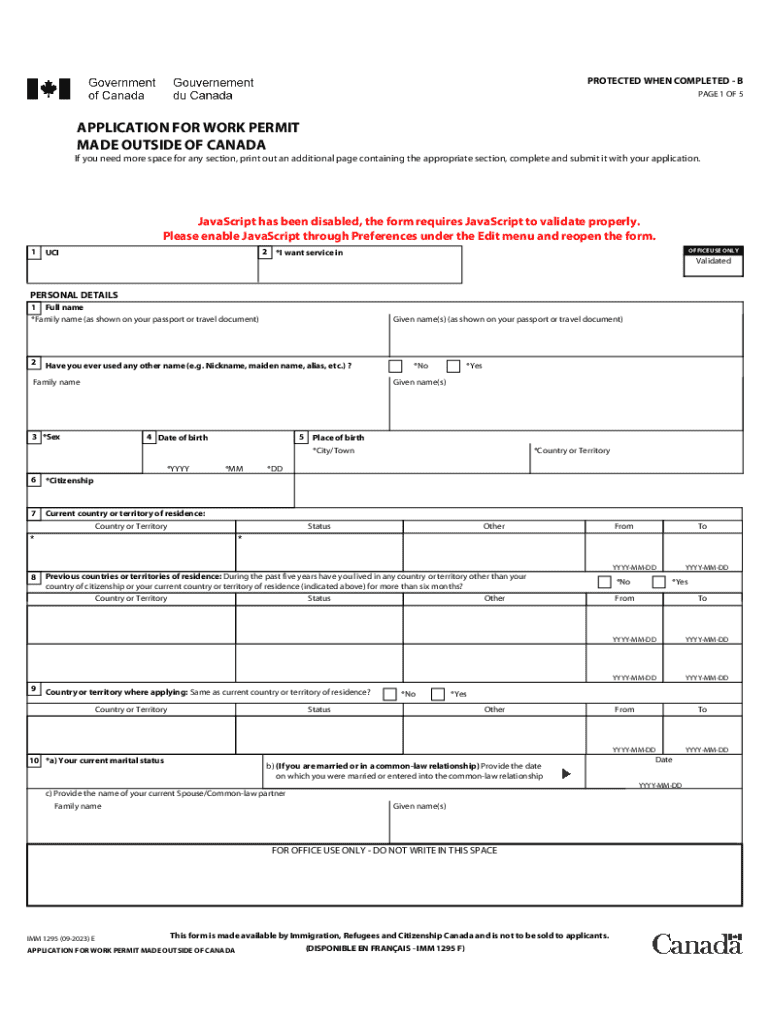
PROTECTED WHEN COMPLETED - B PAGE 1 OF 5 APPLICATION FOR WORK PERMIT MADE OUTSIDE OF CANADA If you need more space for any section, print out an additional page containing the appropriate section,.
Loading

Open form follow the instructions

Easily sign the form with your finger

Send filled & signed form or save
How to fill out the Canada IMM 1295 E online
This guide provides clear, step-by-step instructions for users who need assistance in completing the Canada IMM 1295 E application for a work permit made outside of Canada. With a focus on accessibility and ease of understanding, this guide supports users of varying experience levels in navigating the form.
Follow the steps to complete the form efficiently.
- Press the ‘Get Form’ button to access the application form and open it in the editor.
- Begin filling out the personal details section. Enter your full name as displayed on your passport or travel document, including family name and given names. If you have ever used another name, input that information as well.
- Indicate your sex by selecting the appropriate option. Enter your date of birth and place of birth, including city or town.
- Provide details regarding your citizenship and current country or territory of residence, including your status.
- If you have lived in another country for more than six months in the past five years, list these countries and provide the dates of residence.
- State your current marital status. If applicable, provide the date of your marriage or cohabitation and the name of your spouse or partner.
- Fill out the details of your passport, including the country of issue, passport number, issue date, and expiry date.
- Complete the contact information section with your current mailing address and primary email address for correspondence.
- In the section regarding intended work in Canada, specify the type of work permit you are applying for, details of your prospective employer, and your intended job title and duties.
- Fill in your education history starting from your highest level of post-secondary education, providing details on the field of study and institution attended.
- Detail your employment history for the past ten years, including any government positions held, with corresponding dates and locations.
- Address the background information questions, answering truthfully and providing additional information where necessary.
- Finally, sign and date your application. Ensure all sections are complete before submission. Save your changes, and download or print the form for your records.
Complete your Canada IMM 1295 E application online today to ensure a smooth process for your work permit request.
Experience a faster way to fill out and sign forms on the web. Access the most extensive library of templates available.
Related content
Feb 6, 2025 — Popular forms, instructions and publications · Form 1040 · Form 1040-ES...
Creating A Google Form, To edit the form at anytime, click on Edit questions, Create a...
You have received this form because your employer (or transfer agent) transferred your...
Use professional pre-built templates to fill in and sign documents online faster. Get access to thousands of forms.
If you believe that this page should be taken down, please follow our DMCA take down process here.