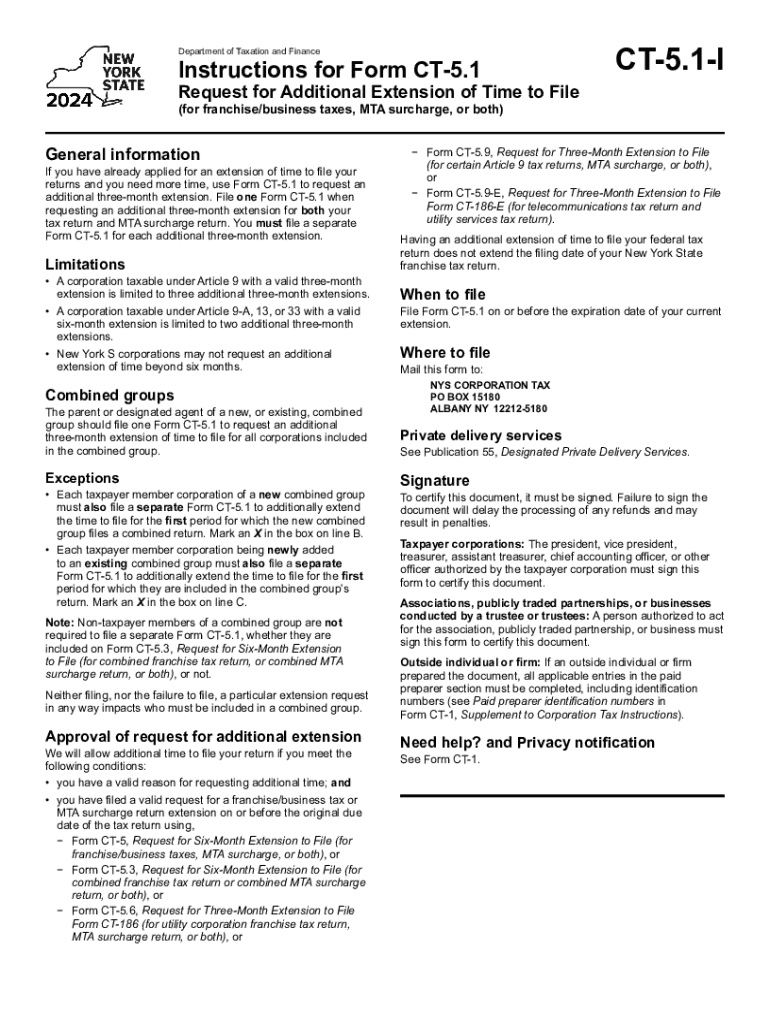
If you have already applied for an extension of time to file your returns and you need more time, use Form CT-5.1 to request an additional three-month extension. File one Form CT-5.1 when requesting an additional three-month extension for both your tax return and MTA surcharge return. You must file a separate Form CT-5.1 for each additional three-month extension. Limitations A corporation taxable under Article 9 with a valid three-month extension is limited to three additional three-month.
Loading

Open form follow the instructions

Easily sign the form with your finger

Send filled & signed form or save
How to fill out the NY CT-5.4-I online
Filling out the NY CT-5.4-I form online can seem daunting, but this guide will simplify the process for you. Follow these steps for a smooth and efficient experience, ensuring that you correctly submit your request for an additional extension of time to file your franchise or business taxes.
Follow the steps to fill out the NY CT-5.4-I form online
- Press the ‘Get Form’ button to access the CT-5.4-I form and open it in your online editor.
- Begin with the general information section. Carefully read the requirements for requesting an additional extension and ensure you have already applied for an initial extension.
- Locate the fields that require your business details. Input your corporation's name, tax identification number, and the tax period covered by your extension request.
- In the section for the reason for the extension, provide a brief and clear explanation for your request. This is important for your application to be considered.
- Review the limitations outlined in the form. Confirm that you are eligible for an additional extension based on the guidelines provided.
- If applicable, fill out the section regarding combined groups by indicating the status of your corporation within the group.
- Check the box indicating any additional forms filed that support your request for extension.
- At the end of the form, sign and date your application. Make sure it is signed by an authorized individual within your corporation.
- Once you have completed the form, save your changes. You can download or print your completed form for your records.
- Finally, submit your form according to the filing instructions. Ensure you mail it to the designated address provided in the guidelines.
Complete your NY CT-5.4-I form online today to ensure timely filing!
Experience a faster way to fill out and sign forms on the web. Access the most extensive library of templates available.
Related content
Dec 23, 2024 — Most corporation taxpayers are required to file their extensions...
The defendants are expected to appeal this decision to the Court of Appeals, New York's...
No late filing or late payment penalties will be imposed if you file your return by the...
Get answers to your most pressing questions about US Legal Forms API.
What penalties qualify for first time abatement?
Penalties eligible for First Time Abate include: Failure to File – when the penalty is applied to: Failure to Pay – when the tax. Failure to Deposit – when the tax.
What is NY CT-5?
The businesses operating (as C-Corporation or S-Corporation) in New York need to file Form CT-5 with the state to obtain a 6-month extension of time to file their New York business income tax return. Form CT-5 - Request for Six-Month Extension to File New York C-Corporation tax return.
When did NY stop accepting federal extensions?
Effective for tax years 2011 and after, a copy of federal Form 4868, Application for Automatic Extension of Time to File U.S. Individual Income Tax Return, or Form 7004, Application for Automatic Extension of Time to File Certain Business Income Tax, Information, and Other Returns, will no longer be accepted in place ...
What happens if you don't pay New York City tax?
If you do not pay your tax when due, we will charge you a penalty in addition to interest. The penalty may be waived if you can show reasonable cause for paying late. The penalty charge is: 0.5% of the unpaid amount for each month (or part of a month) it is not paid, up to a maximum of 25%
Does NY have a first time penalty abatement?
FTA is available for tax payers who 1) have filed all currently required returns and paid (or arranged to pay) any due tax, and 2) have not been required to file a return or have no prior penalties on filed returns for the preceding three years.
How to get tax penalty waived?
The IRS can waive penalties if you demonstrate that your failure to comply with tax requirements was due to reasonable cause. Acceptable reasons include serious illness, natural disasters, or other events beyond your control that prevented timely tax filing or payment.
What is a good reasonable cause for penalty abatement?
The IRS has criteria for removing penalties due to reasonable cause. Death, Serious Illness, or Unavoidable Absence, Fire, Casualty, Natural Disaster are some reasons. Best to outline your reasons in a letter to the IRS outlining your reasons and ask for abatement.
What is the new tax abatement in NYC?
Effective September 20, 2024, the new law extends the deadline to apply for the partial commercial real estate tax abatement for certain industrial and commercial buildings in New York City from March 1, 2025, to March 1, 2029. This program provides abatements for property taxes for periods of up to 25 years.
Use professional pre-built templates to fill in and sign documents online faster. Get access to thousands of forms.
If you believe that this page should be taken down, please follow our DMCA take down process here.