Loading
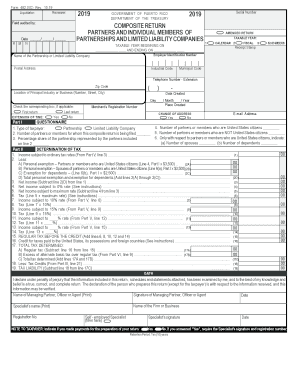
Get Pr 482.0(c) 2019
How it works
-

Open form follow the instructions
-

Easily sign the form with your finger
-

Send filled & signed form or save
How to fill out the PR 482.0(C) online
Filling out the PR 482.0(C) form online can seem daunting, but this guide will help simplify the process. By following the steps outlined below, you will be able to complete the composite return for partners and individual members of partnerships and limited liability companies effectively.
Follow the steps to complete your PR 482.0(C) form online.
- Press the ‘Get Form’ button to access the PR 482.0(C) document and open it in the editor.
- Enter the taxable year information by filling in the beginning and ending dates in the designated fields.
- Specify whether this is an amended return by checking the appropriate box.
- Fill in the employer identification number and the name of your partnership or limited liability company.
- Complete the postal address and indicate the industrial and municipal codes.
- In Part I, answer the questionnaire by entering the number of partners or members who are United States citizens and non-citizens.
- Provide the percentage share of the partnership represented by the partners included on line 2 of Part I.
- Proceed to Part II, where you will determine the tax. Begin by entering the income subject to ordinary tax rates.
- Deduct the personal exemptions and credits in the appropriate lines to compute the net income.
- Complete the necessary computations for tax rates, including the calculation of income subject to various rates.
- In Part III, detail any applicable tax credits. Add up your total credits and transfer that information as directed.
- In Part IV, calculate any tax due or paid in excess, following the instructions provided for each section.
- Review all your entries for accuracy before moving on to the final sections.
- Complete the sworn statement in Part VI, and ensure the managing partner's signature is included.
- Finally, save the changes, download the completed form, print it, or share it as required.
Get started by filling out your PR 482.0(C) online today!
Get form
Experience a faster way to fill out and sign forms on the web. Access the most extensive library of templates available.
Related links form
Get This Form Now!
Use professional pre-built templates to fill in and sign documents online faster. Get access to thousands of forms.