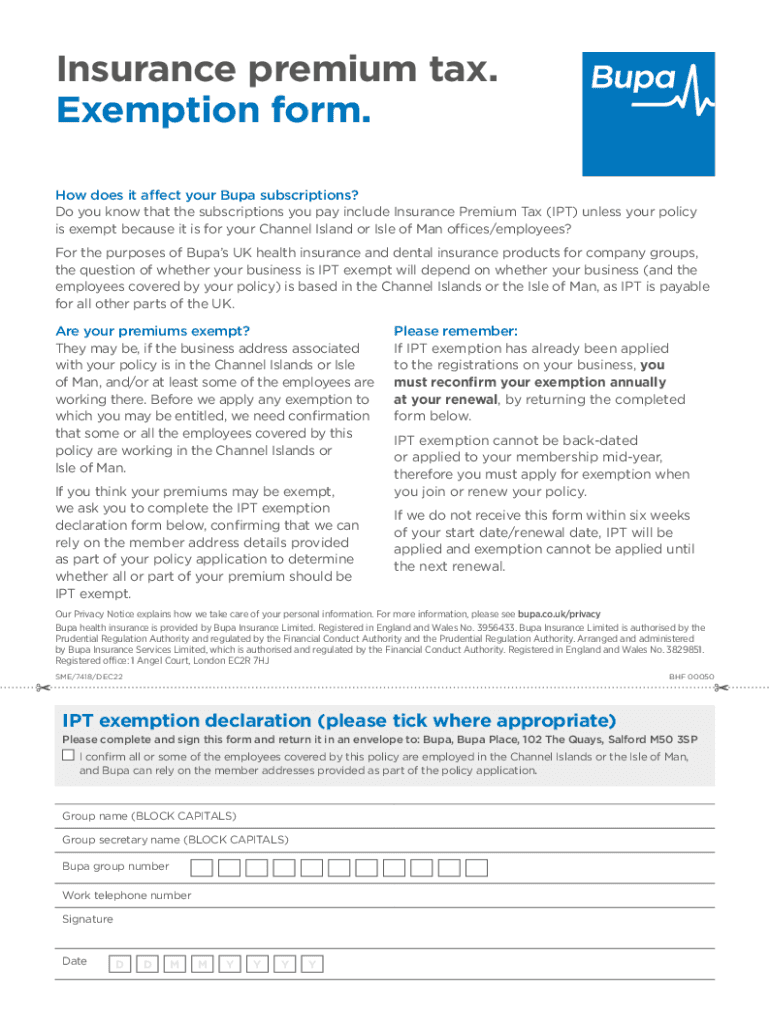
It is for your Channel Island or Isle of Man ofces/employees? For the purposes of Bupa s UK health insurance and dental insurance products for company groups, the question of whether your business is IPT exempt will depend on whether your business (and the employees covered by your policy) is based in the Channel Islands or the Isle of Man, as IPT is payable for all other parts of the UK. Are your premiums exempt? They may be, if the business address associated with your policy is in the Chan.

Open form follow the instructions

Easily sign the form with your finger

Send filled & signed form or save
How to fill out the UK Bupa BHF 00050 online
Filling out the UK Bupa BHF 00050 form is an essential step for businesses seeking exemption from Insurance Premium Tax. This guide provides a clear, step-by-step approach to completing the form online, ensuring that users understand each section and requirement.
Follow the steps to accurately complete your IPT exemption declaration form.
- Press the ‘Get Form’ button to access the UK Bupa BHF 00050 form and open it for completion.
- Carefully read the instructions provided on the form to understand the significance of IPT exemption and confirm eligibility based on your business location and employee addresses.
- In the IPT exemption declaration section, indicate your confirmation by ticking the appropriate box, affirming that some or all covered employees are based in the Channel Islands or Isle of Man.
- Fill in the group name in uppercase letters, followed by the group secretary's name also in uppercase letters to ensure clarity.
- Enter your Bupa group number in the designated field to associate this declaration with your specific policy.
- Provide a valid work telephone number where Bupa can reach you for any necessary follow-up regarding this declaration.
- Sign the form to confirm that you acknowledge and agree with the information provided in the declaration.
- Finally, include the date of signing using the format DD/MM/YYYY to complete the form accurately.
- Save your changes, then download and/or print the completed form for your records. Once done, return the form in an envelope to the provided Bupa address.
Complete your Bupa BHF 00050 form online today to ensure your Insurance Premium Tax exemption is processed smoothly.
Experience a faster way to fill out and sign forms on the web. Access the most extensive library of templates available.
Related content
Assessing the quality of information to support people in making decisions about their...
Assessing the quality of information to support people in making decisions about their...
Assessing the quality of information to support people in making decisions about their...
Use professional pre-built templates to fill in and sign documents online faster. Get access to thousands of forms.
If you believe that this page should be taken down, please follow our DMCA take down process here.