Loading
Get Pk Nadra Origin Card
How it works
-

Open form follow the instructions
-

Easily sign the form with your finger
-

Send filled & signed form or save
How to fill out the PK NADRA Origin Card online
Filling out the PK NADRA Origin Card online is an essential process for individuals seeking to obtain this important document. This guide provides clear, step-by-step instructions to assist users in completing the form accurately and efficiently.
Follow the steps to complete the PK NADRA Origin Card form online.
- Click ‘Get Form’ button to obtain the form and open it in the editor.
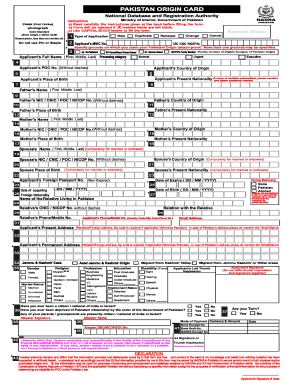
- Begin by filling out the applicant's MNIC number. Ensure that this number is entered without any dashes.
- Select the processing category that applies to you, marking only one option: Ex-Pakistani, Parent/Grandparent Based, Spouse Based, or FPO’s Family Member.
- Input the applicant's present nationality and place of birth details. In case of multiple nationalities, attach copies of the relevant passports.
- Fill in the required information about both parents, including their nationality and place of birth, ensuring accuracy.
- Enter the applicant's contact information, including phone number, email address, and home address. Ensure the accuracy of this information.
- Complete the fields regarding payment, including the mode of payment currency and amount.
- Finally, review all entered details for correctness, save changes, and proceed to download or print the form for submission.
Start filling out your PK NADRA Origin Card online today to ensure a smooth application process.
Tracking your PK NADRA Origin Card can usually be done through the NADRA website or by contacting the relevant consulate. You may need to provide your application reference number to get the status. Staying informed about your application can alleviate any concerns during the waiting period. Uslegalforms offers useful information to assist you in this tracking process.