Loading
Get Gsa 2011-2012 Request For Offers - Gsa
How it works
-

Open form follow the instructions
-

Easily sign the form with your finger
-

Send filled & signed form or save
How to fill out the GSA 2011-2012 Request For Offers - GSA online
Filling out the GSA 2011-2012 Request For Offers is a crucial step for vendors or rate filing service providers seeking to submit rate offers. This guide will assist users by providing clear, step-by-step instructions to ensure accurate completion of the form.
Follow the steps to successfully complete the form online.
- Press the ‘Get Form’ button to access the request form and open it in the specified editor.
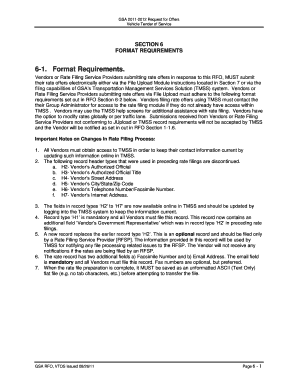
- Begin by reviewing the format requirements specified in Section 6. Ensure you are familiar with the electronic submission process outlined in Section 7.
- For vendors submitting their offers via the File Upload Module, carefully format your rate offers according to the standards laid out in Section 6-2. Pay special attention to header records, ensuring all fields are accurately populated.
- If you are using the Transportation Management Services Solution (TMSS), make sure to contact your Group Administrator to obtain access if you haven't already done so. Gather all necessary information for filing within TMSS.
- Complete the mandatory Header Record (H1) by providing the required information: vendor name, effective date, taxpayer identification number, and DUNS number. Ensure that all fields are filled correctly and conform to the specified maximum positions.
- If applicable, fill out the optional Header Record (H2) if a rate filing service provider is assisting in the submission. Include details such as the RFSP's name and contact information.
- Proceed to complete the Rate Records section. This includes entries for vendor tender number, agency ID, transportation percentages, and pricing details for different vehicle classes. Ensure all separators and required fields are correctly formatted.
- Review all sections for completeness and accuracy. Pay special attention to formatting requirements, ensuring no prohibited characters are included.
- Once you have finalized your submission, save the document as an unformatted ASCII (Text Only) flat file, and prepare for electronic submission according to the guidelines.
- Finally, submit your completed form via the designated method, whether through file upload or the TMSS system, and ensure to keep a copy for your records.
Start filling out your GSA 2011-2012 Request For Offers online today!
Related links form
As the federal government's purchasing agent, GSA connects federal purchasers with the most cost-effective and high-quality commercial products and services.
Industry-leading security and compliance
US Legal Forms protects your data by complying with industry-specific security standards.
-
In businnes since 199725+ years providing professional legal documents.
-
Accredited businessGuarantees that a business meets BBB accreditation standards in the US and Canada.
-
Secured by BraintreeValidated Level 1 PCI DSS compliant payment gateway that accepts most major credit and debit card brands from across the globe.