We use cookies to improve security, personalize the user experience, enhance our marketing activities (including cooperating with our marketing partners) and for other business use.
Click "here" to read our Cookie Policy. By clicking "Accept" you agree to the use of cookies. Read less
Read more
Accept
Loading
Form preview
  • US Legal Forms
  • Form Library
  • More Forms
  • More Multi-State Forms
  • Flow Of Events For Use Case -

Get Flow Of Events For Use Case -

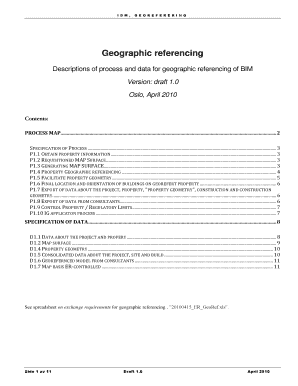
Ents: PROCESS MAP........................................................................................................................................................................... 2 SPECIFICATION OF PROCESS ..................................................................................................................................................................... 3 P1.1 OBTAIN PROPERTY INFORMATION .

How it works

  1. Open form

    Open form follow the instructions

  2. Easily sign form

    Easily sign the form with your finger

  3. Share form

    Send filled & signed form or save

How to fill out the Flow Of Events For Use Case - online

This guide provides a comprehensive overview of how to fill out the Flow Of Events For Use Case document online. By following these steps, users can ensure that they accurately complete all necessary sections of the form for effective geographic referencing in BIM projects.

Follow the steps to fill out the Flow Of Events For Use Case online.

  1. Press the ‘Get Form’ button to acquire the document and open it in your preferred online editor.
  2. Begin with Section P1.1, where you will need to input property information including the project number, name, and plot ID. Ensure that these details are accurately recorded as they form the basis of your project documentation.
  3. In Section P1.2, requisition a map surface by requesting it from the appropriate municipality or data provider. Clearly specify the necessary parameters, including the map format and coordinate system.
  4. Move to Section P1.3, where you will describe the process of generating the map surface. Confirm that the map is delivered in SOSI format as required.
  5. For Section P1.4, explain how the GIS expert will handle the geographic referencing of the site. Specify the importance of selecting the correct local origin for the plot within the architectural model.
  6. In Section P1.5, outline the facilitation of property geometry by selecting relevant site geometry and transferring it to the IFC file. Highlight the minimum requirements for geometry to be included.
  7. Details for Section P1.6 should focus on finalizing the location and orientation of buildings on the georeferenced property. Include technical requirements that ensure accuracy in placement.
  8. In Section P1.7, detail the export of consolidated project data, ensuring that all necessary properties and geometries are correctly documented in the IFC file.
  9. Section P1.8 involves gathering additional data from consultants. Explain how they will integrate their findings into the existing BIM model.
  10. For Section P1.9, describe the control measures for regulatory limits, emphasizing the need for updated data from relevant authorities.
  11. Finally, in Section P1.10, outline the IG application process requiring coordination between architects and clients, ensuring that all parameters of the project are carefully documented.
  12. Once you have completed all sections, save changes to your document. You may also choose to download, print, or share the completed form as necessary.

Complete your Flow Of Events For Use Case online to enhance your project documentation and collaboration efforts.

Get form

Experience a faster way to fill out and sign forms on the web. Access the most extensive library of templates available.
Get form

Related content

Use Cases
A use case is a written description of how users will perform tasks on your website. It...
Learn more
Concept: Use Case
The Basic Flow of Events specifies the interactions between the actor(s) and the system...
Learn more
A UML Documentation for an Elevator System
Object sequence diagrams, describe for a given use case, the events which cause the...
Learn more

Related links form

EXPORTER'S STATEMENT OF ORIGIN I Certify That The ... - Milgram Special Event Application - City Of Henderson Pro-forma Invoice - Milgram K32 Full Fill

Questions & Answers

Get answers to your most pressing questions about US Legal Forms API.

Contact support

The Basic Flow of Events specifies the interactions between the actor(s) and the system for the ideal case, where everything goes as planned, and the actor's goal (the observable result of value) is met. The basic flow represents the main capability provided by the system for this use case.

How To Write a Use Case Identify who is going to be using the website. Pick one of those users. Define what that user wants to do on the site. ... For each use case, decide on the normal course of events when that user is using the site. Describe the basic course in the description for the use case.

Use Case Main Flow, or Main Path, is the typical scenario that leads to successful completion of the Actor's goal. When you enter the first two characters of an Actor's name, TopTeam will intelligently prompt you to select the Actor from a pop-up list.

Flow of Events (Paths) – The set of steps that must be taken by the actor and the solution while the use case is being performed. Generally, use cases consist of the main success path (also called basic or primary), alternate paths, and exception paths.

What Is a Use Case Path. There are three different types of paths: Main (aka Standard, Basic), Alternate, and Exception. By distinguishing three distinct path types, your Lean Use Case gains tremendous power in support of effective communication and collaborative development of the solution.

A use case diagram is a way to summarize details of a system and the users within that system. It is generally shown as a graphic depiction of interactions among different elements in a system.

What are the 4 main components of a use case diagram? The four main components of a use case diagram are actors, systems, relationships, and use cases. Actors are any human or external system that interacts with the system.

A basic flow represents the sequence of basic steps or actions of the Use Case scenario. You can also add steps from included or extended use cases to the flow. Each basic flow step can have one or more alternative and exceptional paths.

Get This Form Now!

Use professional pre-built templates to fill in and sign documents online faster. Get access to thousands of forms.
Get form
If you believe that this page should be taken down, please follow our DMCA take down processhere.

Industry-leading security and compliance

US Legal Forms protects your data by complying with industry-specific security standards.
  • In businnes since 1997
    25+ years providing professional legal documents.
  • Accredited business
    Guarantees that a business meets BBB accreditation standards in the US and Canada.
  • Secured by Braintree
    Validated Level 1 PCI DSS compliant payment gateway that accepts most major credit and debit card brands from across the globe.
Get Flow Of Events For Use Case -
Get form
Form Packages
Adoption
Bankruptcy
Contractors
Divorce
Home Sales
Employment
Identity Theft
Incorporation
Landlord Tenant
Living Trust
Name Change
Personal Planning
Small Business
Wills & Estates
Packages A-Z
Form Categories
Affidavits
Bankruptcy
Bill of Sale
Corporate - LLC
Divorce
Employment
Identity Theft
Internet Technology
Landlord Tenant
Living Wills
Name Change
Power of Attorney
Real Estate
Small Estates
Wills
All Forms
Forms A-Z
Form Library
Customer Service
Terms of Service
Privacy Notice
Legal Hub
Content Takedown Policy
Bug Bounty Program
About Us
Help Portal
Legal Resources
Blog
Affiliates
Contact Us
Delete My Account
Site Map
Industries
Forms in Spanish
Localized Forms
State-specific Forms
Forms Kit
Legal Guides
Real Estate Handbook
All Guides
Prepared for You
Notarize
Incorporation services
Our Customers
For Consumers
For Small Business
For Attorneys
Our Sites
US Legal Forms
USLegal
FormsPass
pdfFiller
signNow
altaFlow
DocHub
Instapage
Social Media
Call us now toll free:
+1 833 426 79 33
As seen in:
  • USA Today logo picture
  • CBC News logo picture
  • LA Times logo picture
  • The Washington Post logo picture
  • AP logo picture
  • Forbes logo picture
© Copyright 1997-2025
airSlate Legal Forms, Inc.
3720 Flowood Dr, Flowood, Mississippi 39232
Form Packages
Adoption
Bankruptcy
Contractors
Divorce
Home Sales
Employment
Identity Theft
Incorporation
Landlord Tenant
Living Trust
Name Change
Personal Planning
Small Business
Wills & Estates
Packages A-Z
Form Categories
Affidavits
Bankruptcy
Bill of Sale
Corporate - LLC
Divorce
Employment
Identity Theft
Internet Technology
Landlord Tenant
Living Wills
Name Change
Power of Attorney
Real Estate
Small Estates
Wills
All Forms
Forms A-Z
Form Library
Customer Service
Terms of Service
Privacy Notice
Legal Hub
Content Takedown Policy
Bug Bounty Program
About Us
Help Portal
Legal Resources
Blog
Affiliates
Contact Us
Delete My Account
Site Map
Industries
Forms in Spanish
Localized Forms
State-specific Forms
Forms Kit
Legal Guides
Real Estate Handbook
All Guides
Prepared for You
Notarize
Incorporation services
Our Customers
For Consumers
For Small Business
For Attorneys
Our Sites
US Legal Forms
USLegal
FormsPass
pdfFiller
signNow
altaFlow
DocHub
Instapage
Social Media
Call us now toll free:
+1 833 426 79 33
As seen in:
  • USA Today logo picture
  • CBC News logo picture
  • LA Times logo picture
  • The Washington Post logo picture
  • AP logo picture
  • Forbes logo picture
© Copyright 1997-2025
airSlate Legal Forms, Inc.
3720 Flowood Dr, Flowood, Mississippi 39232