Loading
Get Au Victoria University Ac01 A 2018-2026
How it works
-

Open form follow the instructions
-

Easily sign the form with your finger
-

Send filled & signed form or save
How to fill out the AU Victoria University AC01 A online
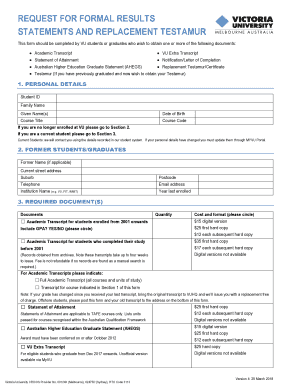
This guide provides a comprehensive overview of how to complete the AU Victoria University AC01 A form, designed for students and graduates requesting formal results and replacement testamurs. Follow these steps to ensure your application is accurate and efficient.
Follow the steps to successfully complete your form.
- Click the ‘Get Form’ button to access the form and open it in the online editor.
- Begin with the personal details section. Fill in your Student ID, family name, and given name(s). Specify your course title, date of birth, and course code. If you are no longer enrolled at VU, proceed to Section 2; if you are a current student, move to Section 3.
- For former students or graduates, complete the applicable fields in Section 2. Include any former name, current street address, suburb, telephone number, institution name, postcode, email address, and year last enrolled.
- In Section 3, select the required document(s) you are requesting. Indicate the quantity needed and choose the cost and format option by circling your preference. Be mindful to check on additional notes related to specific documents that may affect delivery times and costs.
- Move to the postage details section. Specify your preferred delivery option for the documents, including whether you would like to collect them or have them posted. Fill in any required information for postage to a third party if applicable.
- Complete the payment details section. Note that you must pay via the online payment gateway. Write your receipt number in the designated area before submitting the form.
- Before finalizing, review all sections for completeness and accuracy. Ensure you provide a signature and the date signed where indicated.
- Finally, save changes, download, or print a copy of your completed form for your records. Ensure to submit the form and payment receipt as instructed.
Complete your documents online today for a smooth processing experience.
Related links form
Unofficial Transcript Definition Unofficial transcripts are printed on plain paper and do not have a college seal or registrar's signature. Unofficial transcripts cannot be used to transfer to another college or university. Unofficial transcripts are issued for use by the student only.