Loading
Get Metlife A8200nw 2009-2026
How it works
-

Open form follow the instructions
-

Easily sign the form with your finger
-

Send filled & signed form or save
How to fill out the MetLife A8200NW online
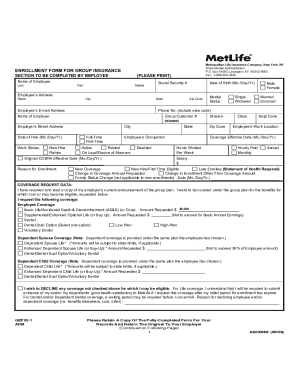
Filling out the MetLife A8200NW enrollment form for group insurance can be a straightforward process with the right guidance. This guide will provide step-by-step instructions to ensure that you complete the form accurately and confidently.
Follow the steps to effectively complete your enrollment form.
- Click ‘Get Form’ button to obtain the MetLife A8200NW document and open it for editing.
- Begin by entering your name in the designated sections for first, middle, and last names. Ensure that the spelling is accurate, as this information is crucial for identification.
- Fill in your Social Security number and date of birth in the appropriate fields using the month/day/year format.
- Provide your current address, including street, city, state, and zip code. This information helps in the proper identification and communication regarding your enrollment.
- Indicate your email address and telephone number, including the area code, as these will be used to contact you regarding important updates.
- Specify your work status (full-time or part-time) and your occupation. You will also need to provide the date you were hired and the name of your employer.
- Select your marital status from the options available and provide the group customer number related to your employer's policy.
- In the coverage request data section, check the types of coverage you wish to enroll in, such as employee coverage or any dependent coverage if applicable. Fill in the amounts requested as needed.
- If you are enrolling dependents, provide information about them including names, dates of birth, and their relationship to you.
- Complete the declaration section by acknowledging that all provided information is true to the best of your knowledge. Sign and date the form accordingly.
- Finally, retain a copy of the completed form for your records. Ensure that the original is returned to your employer for processing.
Start completing your MetLife A8200NW form online today!
How to submit a claim: Sign in to MyBenefits now. Make sure to have the following information available: Your contact information. Disability details. Physician contact information. A MetLife Claims specialist will be in touch within 1-2 business days to confirm next steps.