Loading
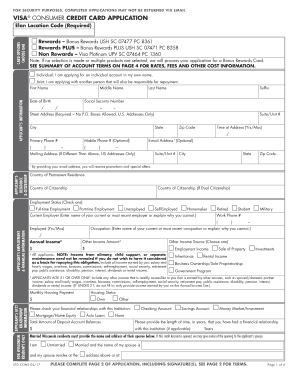
Get Rewards Bonus Rewards Ush Sc 07477 Pc 8361
How it works
-

Open form follow the instructions
-

Easily sign the form with your finger
-

Send filled & signed form or save
How to fill out the Rewards Bonus Rewards USH SC 07477 PC 8361 online
Filling out the Rewards Bonus Rewards USH SC 07477 PC 8361 form online can be a straightforward process when you have clear guidance. This guide will provide step-by-step instructions to help you complete your application efficiently and accurately.
Follow the steps to successfully complete your application.
- Click the ‘Get Form’ button to access the Rewards Bonus Rewards USH SC 07477 PC 8361 and open it in your online editor.
- Choose your card option by selecting either 'Rewards – Bonus Rewards USH SC 07477 PC 8361', 'Rewards PLUS – Bonus Rewards PLUS USH SC 07471 PC 8358', or 'Non Rewards – Visa Platinum UPV SC 07464 PC 1360.' Ensure to select only one option to avoid any delays in processing your application.
- Indicate whether you are applying for an individual account, or jointly with another person by selecting the appropriate checkbox.
- Fill in your personal information in the Applicant's Information section, including your first name, middle name, last name, date of birth, social security number, suffix, and address. Be sure to use a physical address, as P.O. Boxes are not accepted.
- Provide your primary and mobile phone numbers and an optional email address for communications about promotions and offers.
- Complete the Applicant's Residence & Citizenship details by entering your country of permanent residence, country of citizenship, and any dual citizenship information.
- Fill in your Employment & Financial Information, noting your current employment status, current employer, occupation, length of employment, and your annual income.
- Indicate your monthly housing payment and provide information regarding any financial relationships with the institution.
- If applicable, complete the Joint Applicant’s Information section with the same details for the joint applicant. Ensure this section is filled out if it is required for a joint application.
- Read and agree to the Important Terms and Applicant Agreement section that outlines your responsibilities and the institution’s rights.
- Sign and date the application in the designated spaces, ensuring both applicants sign if applying jointly.
- Finally, you may choose to save your application for your records, download a copy, or print it out for mailing if necessary.
Complete your application online and take the first step towards enjoying your rewards.
Comply With the Eviction Notice, If Possible If you comply with the eviction notice by either paying all the rent due and owing or correcting the lease violation, then, in Tennessee, the landlord must not proceed with the eviction (see Tenn. Code Ann. §§ 66-7-109 and 66-28-505).