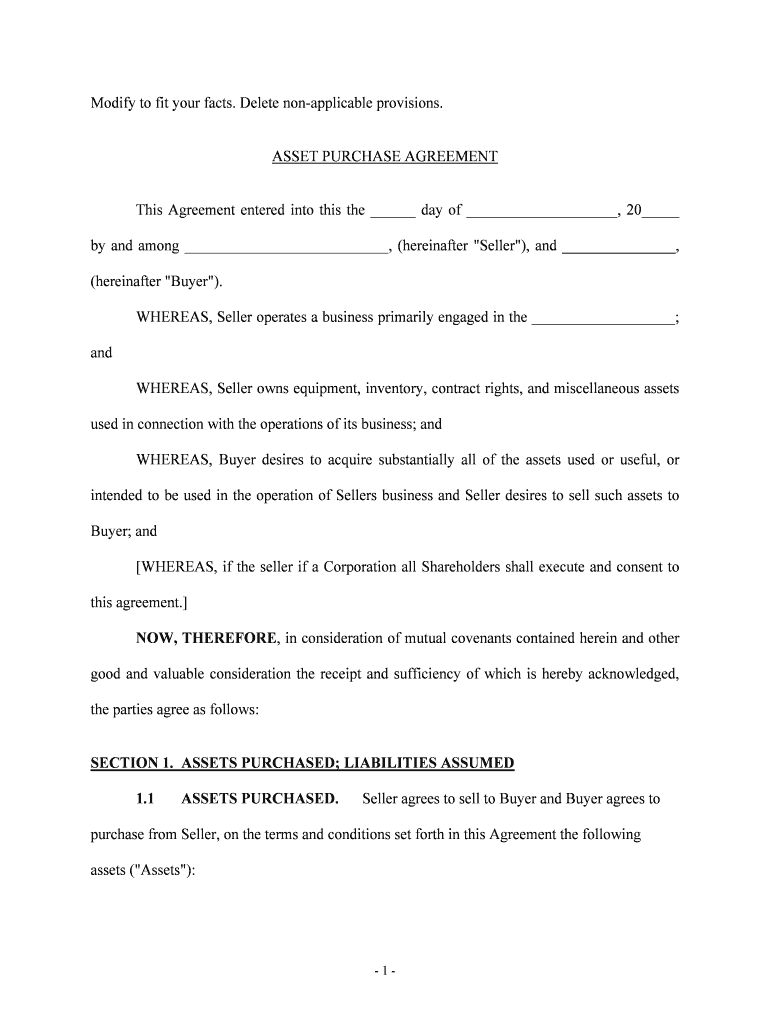
Modify to fit your facts. Delete nonapplicable provisions.ASSET PURCHASE AGREEMENTThis Agreement entered into this the 12 day of , 20 12 by and among , (hereinafter "Seller "), and , 2 (hereinafter.
Loading

Open form follow the instructions

Easily sign the form with your finger

Send filled & signed form or save
How to fill out the Asset Purchase Agreement online
The Asset Purchase Agreement is a crucial document that outlines the terms and conditions involved in the purchase of assets between a seller and a buyer. This guide provides clear and comprehensive instructions for completing the agreement online, ensuring an efficient and accurate process.
Follow the steps to complete the Asset Purchase Agreement online.
- Click ‘Get Form’ button to obtain the Asset Purchase Agreement and open it in the editor.
- In the first section, fill in the date of the agreement and the names of the Seller and Buyer. Ensure correct spelling and legal identification of each party.
- Detail the business operations of the Seller in the designated area, clarifying the nature of the business being sold.
- In Section 1, clearly specify the assets being sold. This includes equipment, inventory, and other relevant items. Make sure to include any replacements or additions to this list that occurred before the closing date.
- Define any excluded assets in Section 2 by listing items that are not included in the sale, such as cash or accounts receivable.
- Outline the purchase price in Section 3, breaking down the totals for different categories such as equipment and goodwill.
- Specify the payment terms under Section 4, including the amounts and dates for each payment.
- Include any additional agreements as necessary in Section 5, such as non-competition or consulting agreements.
- Complete the representation and warranties section for both Seller and Buyer, verifying the accuracy of information and the authority to enter into the agreement.
- Conclude the form by reviewing all entries for accuracy. Once satisfied, users can save changes, download, print, or share the completed Asset Purchase Agreement.
Complete your Asset Purchase Agreement online today for a smooth transaction.
Experience a faster way to fill out and sign forms on the web. Access the most extensive library of templates available.
Related content
ASSET PURCHASE AGREEMENT ; 1. Sale and Purchase of Assets ; This Agreement constitutes a...
THIS ASSET PURCHASE AGREEMENT (the “Agreement”), is entered into as of the date...
May 29, 2023 — The Trademark License Agremeent is an agreement between Bethesda...
Get answers to your most pressing questions about US Legal Forms API.
Are LLCs taxed in Tennessee?
State Business Tax By default, LLCs themselves do not pay federal income taxes, only their members do. Tennessee, however, imposes a franchise tax and an excise tax on most LLCs. You must register for this tax through the Department of Revenue (DOR). You can register by mail or in person at a DOR location.
How do I set up an LLC in Tennessee?
Just follow these six steps, and you'll be on your way. Name Your Tennessee LLC. You'll need to choose a name to include in your articles before you can register your LLC. ... Prepare and File Articles of Organization. ... Receive a Certificate From the State. ... Create an Operating Agreement. ... Get an Employer Identification Number.
How do you get formation documents for an LLC?
To form your LLC, you must submit to the state articles of organization, also called a certificate of organization (or certificate of formation in some states). You can generally download the appropriate form from the secretary of state website.
How much does an LLC cost?
LLC Filing Cost Filing costs will vary depending on the state laws but generally range from around $40 to up to $500 . Along with filing the articles of organization, most states require that businesses obtain a business license. Business license costs range from around $50 to $100 in most states.
What do I need to file an LLC in Tennessee?
To register your Tennessee LLC, you'll need to file Form SS-4270 - Articles of Organization with the Tennessee Secretary of State. You can apply online, in person, or by mail. The filing fee is $50 per member, with a minimum of $300 and a maximum of $3,000.
How long does it take to form an LLC in Tennessee?
Formation: ~4 business days by mail. ~2 days online. Immediately in-person.
How much does it cost to set up an LLC in Tennessee?
How much does it cost to form an LLC in Tennessee? The Tennessee Secretary of State charges $50 per LLC member included in the filing, with a minimum total fee of $300. The filing fee cannot exceed $3,000 for the Articles of Organization. A convenience fee will also be charged when paying online by credit card.
What do you need to start an LLC in TN?
Just follow these six steps, and you'll be on your way. Name Your Tennessee LLC. You'll need to choose a name to include in your articles before you can register your LLC. ... Prepare and File Articles of Organization. ... Receive a Certificate From the State. ... Create an Operating Agreement. ... Get an Employer Identification Number.
Use professional pre-built templates to fill in and sign documents online faster. Get access to thousands of forms.
If you believe that this page should be taken down, please follow our DMCA take down process here.